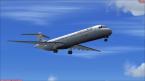
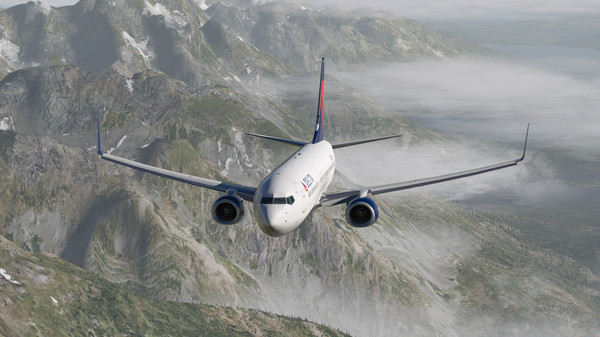
Support My BlogSupport My Blog

Boeing 727-100 MegaPack for FSX and P3D – 32 HD Liveries

Boeing 727-100 MegaPack for FSX and P3D – 32 HD Classic Airline Liveries

Experience the Golden Age of Aviation with the Boeing 727-100

Boeing 727-100 classic three-engine jetliner with vintage airline livery for FSX and Prepar3D, featuring the 727-100 MegaPack.

Are you a fan of classic jetliners and vintage airline liveries? The Boeing 727-100 MegaPack for FSX and Prepar3D brings the golden age of commercial aviation to your flight simulator.

This freeware package, assembled by Flanker256 and distributed through Rikoooo, features 10 aircraft models, including eight passenger variants and two cargo variants. It also includes 32 HD liveries, a 3D virtual cockpit, custom sounds, and several useful cockpit and ground-handling features.

Whether you enjoy historical airline operations, classic cargo flights, or collecting vintage aircraft, this MegaPack offers plenty to explore.

Boeing 727-100 MegaPack: Package Overview

Here are the main details of this aircraft add-on.

  • Aircraft: Boeing 727-100

  • Package: Boeing 727-100 MegaPack

  • File size: 337 MB

  • Aircraft models: 8 passenger variants and 2 cargo variants

  • Liveries: 32 HD paint schemes

  • Virtual cockpit: Included

  • Aircraft models: TDS / Tenkuu Developers Studio

  • Virtual cockpit: Thomas Ruth

  • Sound: FS Audio Team

  • Livery artwork: Juan C. Brizuela, also known as Johnny

  • Package adaptation: Flanker256

  • Compatibility fixes: Rikoooo

  • Distribution: Freeware

The package supports FSX SP2, FSX Acceleration, FSX Steam Edition, and Prepar3D versions 1 through 5, according to the publisher.

The automatic installer selects the appropriate files for the supported simulator.

What Makes the Boeing 727-100 Special?

A Classic Three-Engine Jetliner

The Boeing 727-100 is the original production version of the Boeing 727 family. It entered airline service in the 1960s and became an important aircraft for domestic and international passenger operations.

Its distinctive T-tail and three rear-mounted engines make it instantly recognizable.

Unlike modern twin-engine airliners, the 727's three-engine configuration gives it a unique appearance and a special place in aviation history.

Designed for Versatile Airline Operations

The Boeing 727 was designed to serve a wide range of airports and airline routes.

Its configuration and operational capabilities helped make it popular with airlines that needed a jetliner for short- and medium-haul services.

The aircraft also became widely used for cargo operations, extending its working life beyond passenger service.

For flight simulation enthusiasts, the 727-100 offers an opportunity to explore an important era in commercial aviation.

Explore 32 HD Airline Liveries

One of the biggest attractions of this MegaPack is its collection of 32 high-definition liveries.

The package includes a variety of historical airline paint schemes, cargo operators, and special aircraft markings.

Passenger Airline Liveries

The published livery list includes classic designs associated with airlines such as:

  • Eastern Airlines

  • Trans World Airlines (TWA)

  • Japan Domestic Air

  • TAP Air Portugal

  • Pan American World Airways (Pan Am)

  • Mexicana

  • Avianca

  • United Airlines

  • Delta Air Lines

  • Braniff

  • Sabena

  • Lufthansa

  • Air West

  • Pacific Airlines

  • Aviateca

  • LANICA Nicaragua

  • World Airways

The collection also includes TDS house colors, private aircraft markings, and a presidential aircraft repaint.

These liveries provide a wide range of visual styles for recreating classic airline operations.

Cargo and Special-Purpose Liveries

The MegaPack also includes cargo and special-purpose aircraft variants.

Examples in the published livery list include:

  • Heavy Lift

  • UPS

  • LAS Cargo

  • US Air Force

  • US Navy Jolly Rogers

These additional paint schemes make the package appealing to users who enjoy military-inspired, cargo, and special-purpose aviation scenarios.

The package description lists 32 HD liveries in total. Check the aircraft selection menu for the complete installed collection.

Passenger and Cargo Aircraft Models

Eight Passenger Variants

The package includes eight passenger aircraft models.

These models allow users to explore the Boeing 727-100 in a traditional airline configuration, with different paint schemes representing various operators.

They are ideal for virtual airline flights, historical aviation screenshots, and classic airport environments.

Two Cargo Variants

The two cargo models offer another way to experience the 727-100.

Cargo operations provide a different atmosphere from passenger flights, with freight terminals, night departures, and industrial airport environments.

You can create your own cargo scenarios using suitable airport scenery and compatible simulator traffic.

Virtual Cockpit and Instrument Features

3D Virtual Cockpit

The package includes a Boeing 727 virtual cockpit created by Thomas Ruth.

The cockpit provides an immersive environment for users who prefer to fly from the pilot's perspective.

It complements the exterior models and allows enthusiasts to experience the aircraft's classic flight deck.

Three Panel Variants

The MegaPack includes three panel configurations:

  • PAX — Passenger configuration

  • CARGO — Cargo configuration

  • CA — Additional panel variant

These configurations provide options for different aircraft roles and cockpit setups.

Additional Cockpit Gauges

The package includes several additional gauges and effects, including:

  • Ground handling gauge

  • Ground Proximity Warning System (GPWS)

  • Traffic Collision Avoidance System (TCAS)

  • V-speed display

  • Cockpit sound features

  • FlightDeck FX gauges

These components add functionality and improve the overall simulation environment.

Consult the included reference and checklist files for details about the available features.

Custom Sounds and Ground Services

Three Custom Sound Packs

The package includes three custom sound packs, providing additional variety for the different aircraft configurations.

Sound is an important part of the classic jetliner experience, particularly during engine startup, taxiing, takeoff, and landing.

Airport Ground Handling

The MegaPack also includes ground-service features and objects such as:

  • Passenger buses

  • Freight vehicles

  • Boarding stairs

  • Refueling trucks

These features help create a more detailed airport environment around the aircraft.

Depending on the simulator configuration, some ground services may require additional setup or compatible airport scenery.

Recommended Flight Routes for the Boeing 727-100

Looking for inspiration for your next virtual flight? Here are four ideas for classic aviation scenarios.

1. New York to Washington, D.C.

Choose an Eastern Airlines or United Airlines-inspired livery and recreate the atmosphere of classic American domestic aviation.

2. Frankfurt to Munich

Use a Lufthansa-inspired livery for a traditional European passenger flight.

3. Lisbon to Porto

Choose the TAP Air Portugal livery and explore a short flight within Portugal.

4. Nighttime Cargo Operations

Select a cargo variant and create a late-night freight flight between major airports.

These are suggested flight simulation scenarios, not claims that every listed airline operated the 727-100 on each route.

Installation Guide for FSX and Prepar3D

The Boeing 727-100 MegaPack is available through Rikoooo with an automatic installer.

Follow these steps to install the aircraft.

Step 1: Visit the official download page

Open the Rikoooo page for the Boeing 727-100 MegaPack.

Step 2: Check compatibility

Confirm that your simulator version is supported.

Step 3: Download the package

Download the 337 MB freeware package from the original source.

Step 4: Run the automatic installer

Follow the instructions and select the appropriate simulator when prompted.

Step 5: Open the aircraft selection menu

Launch your simulator and locate the installed Boeing 727-100 models.

Step 6: Select your preferred aircraft

Choose a passenger or cargo variant and select a livery.

Step 7: Review the documentation

Open the included HTML reference and checklist files to learn more about the cockpit and aircraft features.

If the aircraft does not appear, check the installation path and confirm that the correct simulator was selected during installation.

Always back up important simulator configuration files before making manual changes.

Where to Download the Boeing 727-100 MegaPack

The package is available as freeware through Rikoooo.

Official download page:

https://www.rikoooo.com/downloads/viewdownload/55/975

Visit the original page for the download, compatibility information, and installation instructions.

Please respect the original developers' licensing terms when sharing aircraft models, liveries, sounds, or other package files.

Final Thoughts: A Must-Explore Classic Jetliner Package

The Boeing 727-100 MegaPack is an attractive addition to a classic flight simulation collection.

With eight passenger models, two cargo models, 32 HD liveries, a 3D virtual cockpit, three panel variants, custom sounds, and ground-handling features, the package offers a broad selection of classic aviation experiences.

Whether you prefer vintage passenger airlines, historical cargo operators, or special-purpose aircraft, this MegaPack gives you plenty of options to explore in FSX and Prepar3D.

For enthusiasts who appreciate the distinctive design of the Boeing 727, this freeware package is worth checking out.

Which Boeing 727-100 livery would you choose first: Pan Am, Lufthansa, Eastern Airlines, or TWA? Share your favorite in the comments!


FSX paX Passenger Simulator

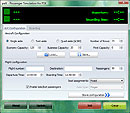
Screenshot of paX Passenger Simulator main window.

Download

FSX paX Passenger Simulator – Add Realistic Passenger Boarding to Flight Simulator X

Have you ever wanted to make your flight simulation experience feel more like a real airline operation? The FSX paX Passenger Simulator adds an extra layer of realism by simulating passenger boarding before departure.

Instead of simply starting your engines and preparing for takeoff, you can experience the delays and small obstacles that occur when passengers board an airliner.

What Is FSX paX Passenger Simulator?

The paX Passenger Simulator is a freeware add-on for Microsoft Flight Simulator X (FSX) developed by Henning Schaefer.

Its main purpose is to simulate passenger boarding procedures before an aircraft departs. Passengers may take time to find their seats, stow their luggage, and move through the cabin, creating realistic delays during the boarding process.

This add-on is designed for flight simulation enthusiasts who want to add more realism to their pre-flight routine.

Key Features of paX Passenger Simulator

1. Simulated Passenger Boarding

The add-on emulates passengers boarding an airliner before departure. This adds another operational step to your flight, making the time spent at the gate feel more realistic.

2. Realistic Boarding Delays

Passenger boarding does not always happen smoothly. Some travelers may take longer to get seated, delaying the boarding process.

The paX simulator recreates these situations, adding a little more unpredictability to your departure preparation.

3. A More Immersive Airline Experience

For virtual airline pilots and aviation enthusiasts, the add-on provides an additional element to enjoy before taxiing to the runway.

Combined with detailed aircraft add-ons, airport scenery, and realistic flight planning, passenger boarding simulation can help make each flight feel more like a complete airline journey.

4. Lightweight Freeware Add-On

The download package is approximately 1.11 MB, making it a small addition to your flight simulation setup.

The package is listed as freeware. Check the accompanying documentation for usage instructions and compatibility details before installation.

How to Install FSX paX Passenger Simulator

Follow these general installation steps to get started.

Step 1: Download the Package

Download the paX Passenger Simulator package from the download page linked below.

Step 2: Extract the Downloaded File

If the downloaded file is compressed, extract its contents to a temporary folder.

Step 3: Run the Installer

Locate Setup.exe and run it. Follow the instructions displayed by the installer.

Step 4: Read the Documentation

After installation, check the installation folder for the included documentation. Review the instructions to understand how to use the simulator.

Step 5: Launch FSX

Start Microsoft Flight Simulator X and follow the add-on's documentation to begin using the passenger simulation features.

Important: The paX Passenger Simulator is listed as an add-on for FSX. Do not assume that it is compatible with every Prepar3D version or other flight simulators without checking the relevant documentation.

Who Should Try paX Passenger Simulator?

This add-on may appeal to:

  • Flight simulation enthusiasts who enjoy realistic airline operations.

  • Virtual airline pilots who want a more detailed pre-flight routine.

  • FSX users interested in passenger boarding simulation.

  • Simmers who want to add small operational details to their flights.

If you enjoy preparing an aircraft at the gate before departure, paX Passenger Simulator is a simple add-on worth exploring.

Download FSX paX Passenger Simulator

Ready to add passenger boarding simulation to your FSX experience?

Visit the download page for the package, review the available information, and follow the installation instructions.

Download page: FSX paX Passenger Simulator V1.0

Final Thoughts

Flight simulation is about more than flying from one airport to another. For many enthusiasts, the procedures before departure are just as enjoyable as the flight itself.

The FSX paX Passenger Simulator adds simulated passenger boarding and delays, helping make the pre-departure experience more engaging.

If you enjoy realistic airline operations in Microsoft Flight Simulator X, this lightweight freeware add-on may be a useful addition to your collection.


✈️ The Presidential Fleet: Boeing 747-8i "Air Force One" (VC-25B) for FSX & P3D

Boeing 747-8i Air Force One freeware aircraft add-on for FSX and Prepar3D featuring presidential livery and an enhanced virtual cockpit.


✈️ The Presidential Fleet: Boeing 747-8i Air Force One for FSX & P3D

Experience the presence of a presidential jumbo jet in your flight simulator with the Boeing 747-8i Air Force One Package for FSX and Prepar3D.

Featuring a distinctive presidential paint scheme, an enhanced virtual cockpit, detailed textures, and additional aircraft functions, this freeware package offers flight simulation enthusiasts an opportunity to fly a presidential-style Boeing 747-8i in Microsoft Flight Simulator X and Prepar3D.

Whether you enjoy long-haul flights, aviation photography, or realistic cockpit operations, this aircraft can bring a special atmosphere to your virtual aviation collection.

1. What Is the Boeing 747-8i Air Force One Add-On?

Air Force One is the official call sign used when the President of the United States is aboard a U.S. Air Force aircraft.

This freeware package features a Boeing 747-8i model painted in an Air Force One-inspired presidential livery. It is designed for Microsoft Flight Simulator X (FSX) and compatible versions of Prepar3D.

The package uses a SkySpirit2011/Project OpenSky Boeing 747-8i model, with cockpit improvements and aircraft configuration updates assembled by the development team.

Important: This is a flight simulation add-on, not an official U.S. government aircraft package. The simulated 747-8i should not be confused with the current VC-25A presidential aircraft or treated as an exact representation of the specially modified VC-25B.

2. Main Features of the Air Force One Package

Enhanced Virtual Cockpit

The package includes an improved 3D virtual cockpit with upgraded interior textures.

The cockpit features a range of simulated aircraft systems and instruments, including a Flight Management Computer (FMC), Primary Flight Display (PFD), Multi-Function Display (MFD), and Engine-Indicating and Crew-Alerting System (EICAS).

These features help create a more immersive cockpit environment for virtual airline and long-haul operations.

High-Definition Presidential Textures

The aircraft features an Air Force One paint scheme with HD textures credited to Dagobert.

Updated fuselage, wing, engine, and nighttime textures add visual detail during daylight flights, airport approaches, and night operations.

Realistic Cockpit Lighting

Updated nighttime cockpit and fuselage lighting help create a more atmospheric experience after sunset.

For flight simulation enthusiasts who enjoy night departures and long international routes, these visual details can make the aircraft more enjoyable to explore.

Aircraft Systems and Cockpit Controls

The package includes a selection of simulated aircraft functions and cockpit controls, such as:

  • Flight Management Computer (FMC)

  • Ground Proximity Warning System (GPWS)

  • V-Speed gauge

  • Ground Handling gauge

  • Autopilot-related controls

  • Lighting and engine controls

  • Fuel crossfeed controls

  • Working windshield wipers

The availability and behavior of individual functions may depend on the simulator version and the installed aircraft configuration.

Ground Service and Stair Features

The aircraft includes a Posky Utility window that provides access to certain additional aircraft features, including main stairs and ground-service functions.

These details can add interest to airport screenshots and pre-flight scenes.

Updated Flight Dynamics and Engine Sounds

According to the package description, the aircraft configuration and flight dynamics were updated to improve stability and handling. Engine sounds and cockpit ambience are also included to create a more engaging flight experience.

3. Technical Information

Before downloading, review the main package details.

  • Aircraft: Boeing 747-8i Air Force One

  • Simulator: Microsoft Flight Simulator X and Prepar3D

  • Package size: Approximately 80.8 MB

  • License: Freeware

  • Aircraft model: SkySpirit2011 / Project OpenSky

  • Virtual cockpit: Enhanced 3D VC

  • Texture update: HD Air Force One textures by Dagobert

  • Installer: Rikoooo installer version 10.5

  • Listed compatibility: FSX, FSX Steam, and Prepar3D v1 through v5

Always check the official download page for the latest compatibility notes before installation.

4. How to Install the Boeing 747-8i Air Force One Package

Step 1: Download the Aircraft

Visit the official Rikoooo download page and download the Boeing 747-8i Air Force One package.

Step 2: Run the Installer

Open the downloaded installer and follow the instructions displayed on the screen.

Step 3: Select Your Flight Simulator

Follow the installer's prompts to select the appropriate simulator installation, where supported.

Make sure you select the correct simulator version before proceeding.

Step 4: Complete the Installation

Allow the installer to copy the aircraft files and supporting components.

If the installer offers additional options, review them carefully before confirming.

Step 5: Launch Your Simulator

Start FSX or your compatible Prepar3D version and look for the installed aircraft in the aircraft selection menu.

If the aircraft does not appear, check the installation path and consult the instructions on the download page.

5. Flight Ideas for Your Presidential 747-8i

Once installed, you can use the aircraft for a variety of virtual flights.

Long-Haul Presidential-Style Flights

Plan a long-distance flight between major international airports. Use realistic cruise altitudes, flight planning, and approach procedures to create a more structured experience.

Night Flights and Airport Photography

The updated nighttime textures and cockpit lighting make evening departures and night airport screenshots worth exploring.

Virtual Aviation Videos

The aircraft can also be used for flight simulation videos, cockpit tours, takeoff and landing clips, and virtual aviation photography.

When publishing screenshots or videos, clearly identify the aircraft as a simulator add-on rather than an official presidential aircraft recording.

6. Download Boeing 747-8i Air Force One for FSX & P3D

Ready to add a presidential-style jumbo jet to your flight simulator?

Visit the official download page to review the package details, compatibility information, and installation instructions.

Download: Boeing 747-8i Air Force One Package for FSX and P3D

7. Final Thoughts

The Boeing 747-8i Air Force One package offers FSX and Prepar3D users a distinctive presidential aircraft experience, combining an Air Force One-inspired livery with an enhanced virtual cockpit, upgraded textures, simulated aircraft systems, and additional ground-service features.

For aviation enthusiasts who enjoy detailed jumbo jets and long-haul flight simulation, this freeware add-on is worth considering.

Download the package, check its compatibility with your simulator, and prepare for your next presidential-style virtual flight.


Boeing 787 Family + Virtual Cockpit for FSX and P3D

✈️ Boeing 787 Family + Virtual Cockpit for FSX and P3D – The Ultimate Freeware Dreamliner

Boeing 787 Family Virtual Cockpit FSX P3D

Experience the next generation of commercial aviation with the Boeing 787 Family + Virtual Cockpit for FSX and Prepar3D.

This freeware package combines three Boeing 787 Dreamliner variants with a highly detailed 3D virtual cockpit, custom navigation instruments, realistic engine sounds, and a wide selection of airline liveries.

Developed using exterior models from Tenkuu Developers Studio (TDS) and virtual cockpit assets based on MagKnight, the package offers an immersive Dreamliner experience for flight simulation enthusiasts.

Whether you enjoy long-haul flights, realistic cockpit procedures, or capturing stunning aviation screenshots, this Boeing 787 package brings plenty of features to explore.

1. What Is the Boeing 787 Family + Virtual Cockpit?

The Boeing 787 Family + Virtual Cockpit is a freeware aircraft package designed for Microsoft Flight Simulator X (FSX) and compatible versions of Prepar3D.

Unlike basic aircraft packages that focus mainly on exterior appearance, this add-on places significant emphasis on the virtual cockpit and simulated aircraft systems.

The package integrates the Boeing 787-8, 787-9, and 787-10 exterior models with a customized 3D cockpit. Its instruments, animations, and flight dynamics have been adapted to work with the TDS Boeing 787 models.

The result is a more complete package for virtual pilots who prefer flying from inside the cockpit.

2. Three Boeing 787 Dreamliner Models

Boeing 787-8 Dreamliner

The Boeing 787-8 is the shortest variant of the three aircraft included in the package.

Its compact size makes it suitable for a wide range of medium- and long-haul virtual routes. Choose from liveries representing several international airlines and plan your next Dreamliner flight.

Boeing 787-9 Dreamliner

The Boeing 787-9 features a longer fuselage than the 787-8 and is a popular choice for long-distance passenger operations.

The package includes liveries for airlines such as Air France, United Airlines, KLM, Japan Airlines, and Air Canada.

Boeing 787-10 Dreamliner

The Boeing 787-10 is the longest member of the original 787 family.

This version is an excellent choice for virtual pilots who enjoy flying a larger Dreamliner on busy international routes.

Available liveries include KLM, United Airlines, Emirates, Etihad Airways, and Eastern Airlines.

Livery availability varies by aircraft variant. Check the included aircraft selection and documentation for the complete list.

3. A Detailed 3D Virtual Cockpit

An Immersive Cockpit Environment

One of the main highlights of this package is its customized 3D virtual cockpit.

The cockpit is based on permitted MagKnight assets and has been integrated and adapted by Rikoooo for use with the TDS Boeing 787 exterior models.

Custom animations cover numerous switches, levers, and controls, helping create a more engaging environment for cockpit-based flying.

Multiple Cockpit Views

The package includes 22 custom views for exploring different areas of the aircraft.

These include views such as:

  • Captain and co-pilot perspectives

  • Jump-seat views

  • Overhead panel views

  • Wing views

  • Engine views

  • Landing gear views

These camera positions are particularly useful for flight simulation videos, virtual cockpit tours, and aviation screenshots.

No Traditional 2D Panel

This package is designed around the 3D virtual cockpit rather than a traditional 2D instrument panel.

To make important systems easier to access, pop-up windows are provided for fundamental avionics and other functions.

The package also includes a virtual cockpit user manual and Boeing 787 documentation in its Documents folder.

4. Advanced GPS and Navigation Features

Custom Boeing 787 GPS

The included GPS gauge offers a range of navigation functions intended to make flight planning and instrument approaches more convenient.

Features listed in the package description include:

  • Flight plan mapping

  • Direct-to navigation

  • Airport, VOR, NDB, and intersection searches

  • ILS frequency tuning

  • Localizer and glideslope navigation aids

  • Runway lists

  • Approach transition selection

  • Detailed flight plan information

  • High-resolution terrain maps

  • Selectable map overlays

The GPS also supports navigation-related display functions intended to provide a more integrated cockpit experience.

TCAS and Terrain Awareness

The package includes simulated traffic and terrain display features.

These include a TCAS-style display for other aircraft and a Terrain Awareness and Warning System (TAWS) map.

These systems add depth to the simulated cockpit experience, although their behavior should not be interpreted as equivalent to certified real-world avionics.

ILS Approach and Autoland

The package documentation describes an ILS Autoland feature for supported configurations.

The aircraft and gauge setup can simulate an automatic landing procedure when configured and operated correctly.

Review the included manual before attempting an ILS approach or Autoland sequence.

5. Realistic Sounds and Aircraft Systems

Custom GEnx Engine Sounds

The package includes a custom Boeing 787 GEnx sound set by Kairi Akai.

These sounds help create a more immersive atmosphere during engine start, taxiing, takeoff, climb, and cruise.

GPWS Sounds and Alerts

The add-on includes Ground Proximity Warning System (GPWS) sounds and alarms.

These simulated alerts add another layer of cockpit feedback during flight.

Pushback and Ground Operations

A pushback panel is included to assist with ground operations.

The package also contains configuration files for AES, Intelliscene, and GSX, which may be useful to users who already use the relevant airport or ground-service add-ons.

Compatibility and available functionality depend on your installed software and simulator version.

Improved Flight Dynamics

The aircraft flight dynamics have been adjusted to improve stability and balance.

According to the package description, the flight model was modified to reduce unwanted pitch behavior and improve the overall handling experience.

6. Fifty-Four Airline Liveries

The package includes 54 upgraded liveries, including three exclusive Rikoooo liveries.

This selection offers plenty of options for users who enjoy flying aircraft in different airline colors.

Examples of Included Liveries

The listed liveries include examples such as:

  • United Airlines

  • Air France

  • Japan Airlines

  • British airline Thomson Airways

  • Royal Air Maroc

  • Kenya Airways

  • Jetstar Airways

  • Ethiopian Airlines

  • China Southern Airlines

  • Air India

  • Air Canada

  • American Airlines

  • Qatar Airways

  • Saudi Arabian Airlines

  • Vietnam Airlines

  • KLM

  • Emirates

  • Etihad Airways

The complete livery selection varies between the 787-8, 787-9, and 787-10 models.

7. Graphics and Performance Options

PBR Textures for Prepar3D v4 and v5

The package includes physically based rendering (PBR) textures for Prepar3D v4 and v5.

PBR can improve the way aircraft surfaces respond to lighting, helping create a more detailed visual appearance.

Important: FSX does not support PBR in the same way as Prepar3D v4 and v5, so the visual results will differ between simulator versions.

Choose the Version That Suits Your Computer

During installation, users can choose between two configurations.

FPS-Optimized Version

This option removes aeronautical charts from the PFD and MFD screens to reduce the graphics workload. Navigation information is instead displayed through the GPS.

Choose this version if performance is your priority.

Normal Version

This version retains the chart displays on the PFD and MFD.

It may have a greater impact on frame rates, depending on your computer's specifications.

For older systems, the FPS-optimized option may provide a more comfortable experience.

8. Technical Specifications

  • Package name: Boeing 787 Family + Virtual Cockpit

  • Aircraft models: Boeing 787-8, 787-9, and 787-10

  • Exterior model developer: Hiroshi Igami / TDS

  • Virtual cockpit assets: MagKnight, integrated by Rikoooo

  • XML gauges: Based on work by Gavin Munro

  • Engine sounds: Kairi Akai

  • Liveries: 54, including three exclusive Rikoooo liveries

  • Custom views: 22

  • Version: Stable 1.1

  • Package size: Approximately 511 MB

  • License: Freeware

  • Listed compatibility: FSX, FSX Steam Edition, and Prepar3D v1 through v5

  • Installer: Rikoooo installer version 10.5

Always check the official download page and included documentation for the latest available information.

9. How to Install Boeing 787 Family + Virtual Cockpit

Step 1: Download the Package

Visit the official Rikoooo download page and download the Boeing 787 Family + Virtual Cockpit package.

Step 2: Run the Installer

Open the downloaded installer and follow the on-screen instructions.

Step 3: Select Your Simulator

Choose the appropriate FSX or Prepar3D installation when prompted.

Confirm that the selected installation path is correct before continuing.

Step 4: Choose the Performance Configuration

Select either the FPS-optimized version or the normal version, depending on your computer's performance and display preferences.

Read the descriptions carefully before making your choice.

Step 5: Complete the Installation

Allow the installer to copy the aircraft models, cockpit files, gauges, sounds, and supporting components.

Wait for the installer to finish before launching the simulator.

Step 6: Launch Your Simulator

Start FSX or your compatible Prepar3D version and open the aircraft selection menu.

Choose your preferred Boeing 787 model and airline livery.

Step 7: Read the Manuals

Open the Documents folder installed with the package.

Review the virtual cockpit user manual and Boeing 787 manual to learn about the controls, navigation systems, and available features.

10. Recommended Flights for Your Dreamliner

Long-Haul International Routes

The Boeing 787 family is well suited to long-distance virtual airline operations.

Plan a flight between major international airports and practice flight planning, cruise management, and instrument approaches.

Explore the Virtual Cockpit

Spend time exploring the cockpit views and animated controls before departure.

Try different camera angles to capture the overhead panel, wings, engines, and landing gear.

Create Flight Simulation Videos

The combination of detailed cockpit views, custom sounds, and multiple airline liveries makes this package suitable for aviation videos.

You could create cockpit tours, takeoff videos, landing tutorials, or long-haul flight recordings.

Always identify your footage as simulated when publishing videos or screenshots.

11. Download Boeing 787 Family + Virtual Cockpit

Ready to fly the Boeing 787 Dreamliner with a detailed virtual cockpit?

Visit the official Rikoooo page to review the package information, screenshots, compatibility details, and installation instructions.

Download: Boeing 787 Family + Virtual Cockpit for FSX and P3D

12. Final Thoughts

The Boeing 787 Family + Virtual Cockpit is a feature-rich freeware package for flight simulation enthusiasts who want more than a basic aircraft model.

With three Dreamliner variants, 54 liveries, 22 custom views, an enhanced 3D virtual cockpit, custom navigation gauges, GEnx engine sounds, and improved flight dynamics, it offers a wide range of features to explore.

The choice between normal and FPS-optimized configurations also allows users to adjust the experience to suit their computer.

If you enjoy flying modern airliners in FSX or Prepar3D, this Boeing 787 package is well worth considering.


Fleet Swiss International Air Lines FSX & P3D


Download

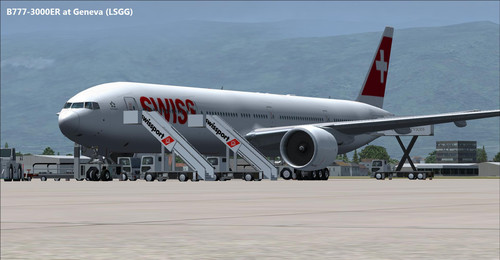
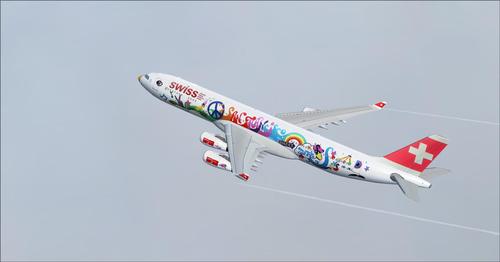
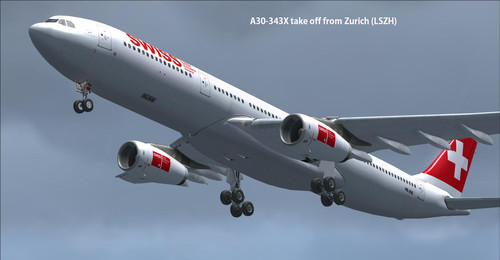
Here the Swiss International Air Lines fleet for FSX, FSX-Steam Edition, Prepar3D v1, v2 and v3. Complete pack with the majority of airplane from the real fleet as of June 2016. Some aircraft are no longer part of the fleet but represent a historic moment, they are offered as a bonus.

Each plane has a FMC (accessible from the simulator taskbar), GPWS (automatically activated) and a ground handling system (RCB), unique sounds and more.

Swiss International Air Lines AG (short Swiss, stylized as SWISS) is the flag carrier airline of Switzerland operating scheduled services in Europe and to North America, South America, Africa and Asia. Its main hub is Zurich Airport, with a focus city operation at Geneva Airport. The airline was formed after the 2002 bankruptcy of Swissair, Switzerland's former flag carrier.

Swiss is a member of the Star Alliance. It is a subsidiary of the Lufthansa Group, with headquarters at EuroAirport Basel-Mulhouse-Freiburg near Basel, Switzerland, and an office at Zurich Airport in Kloten, Switzerland. The company's registered office is in Basel. The airline uses the IATA Code LX that it inherited from the Swiss regional airline Crossair (Swissair's code was SR). The ICAO code is SWR, inherited from Swissair (Crossair's was CRX), in order to keep international traffic rights. (Wikipedia)


List of airplane

Airbus A319-112
Airbus A320-214
Airbus A320-214 (Sharklets) No VC
Airbus A321-212
Airbus A330-343X
Airbus A340-313X
Boeing B777-3DEER (VC compatibility issue with P3D v2 and v3 only)
BAe Avro RJ100 (VC compatibility issue with P3D v2 and v3 only)
Embraer ERJ-145LU
McDonnell Douglas DC-10-30
McDonnell Douglas MD-11 F
McDonnell Douglas MD-11 F No VC
McDonnell Douglas MD-83
Saab 2000 No VC

Fleet Air Berlin FSX & P3D


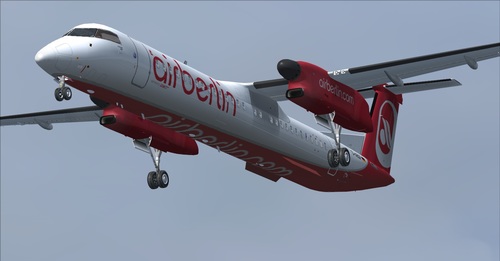
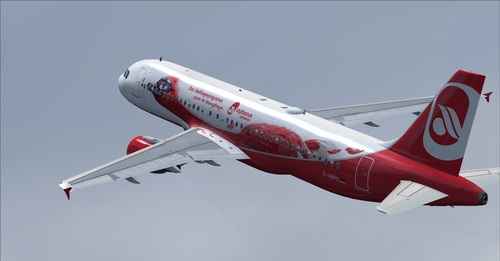
Here is one of the best downloadable fleets on Rikoooo, Discover aircraft of Air Berlin, fly with seven models that make up the fleet in 2016. To provide you with an experience of realism we have gathered together in a single pack the best freeware of the moment. We have also included an FMC, new gauges, GPWS, V speed, engine sounds, corrections and countless improvements, auto-land gauge, HUD, 2D panel creations, multiple repaints Air Berlin. A huge thanks to the various creators of freeware, the long list is in the pack.

You will be able to pilot the Airbus A319-112, A320-214 and the A321-211 Sharklets without VC and the A330-200. Also Boeing B737-700 and B737-800 and finally the Bombardier Dash 8 Q400 (No VC).

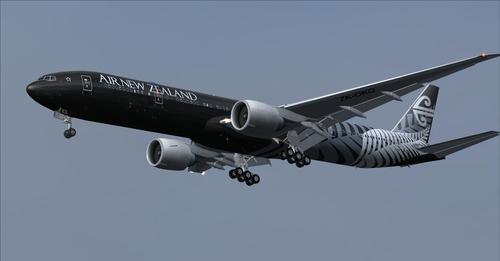
Air New Zealand Package FSX & P3D


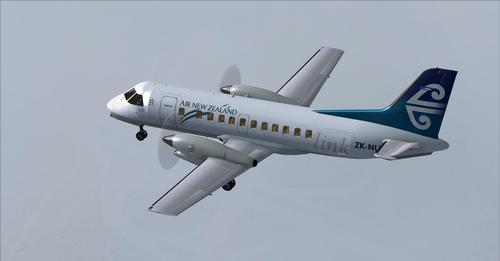
Super package with 8 airplanes from Air New Zealand, each aircraft has a virtual cockpit (VC) with the exception of the Boeing 767-300 replaced with a 2D panel. Each Airbus is included with remastered HD textures in the virtual cockpit, Boeing 777 have a high performance 2D panel and VC including new gauges with FMC (read the documentation). All aircraft are included with high quality customized sounds. The models are all compatible with Prepard 3D except the gauges from Boeing 777. FSX-Steam compatibility assured.

Warning, this pack is not an entire fleet, the real fleet Air New Zealand has more aircraft.

Air New Zealand and Air New Zealand Limited (IATA: NZ; ICAO: ANZ) is the national airline of New Zealand. She as correspondence platform Auckland International Airport.

Concorde RW Reworked Version FSX & P3D


Revision 2017 of the Concorde,many improvements made to the 2D panel, some new features, bug fixes. Complete Package (Model + VC + Panel 2D + Sounds + Repaint Air France and British Airways) Read the documentation carefully for a complete list of changes and instructions.

Engine start
------------------
To start the engines manually you must have:

Parking brake (set)
Battery (On)
Avionics (On)
External Power (On)
All fuel pumps (On)
Fuel shut offs (Open)
Master Ignition (On)
Starter (On)

When the engine is running you should have:

Generators (On)
Fuel heaters (On)
Engine Anti Ice (On)
Pitot (On)

FSX/P3D Airbus A320neo Gulf Air 2020 package

FSX/P3D Airbus A320neo Gulf Air 2020 package

Download

FSX/P3D Airbus A320neo Gulf Air 2020 package. Gulf Air is the flag carrier airline of Bahrain and currently has 5 A320NEO with a further 7 on order. Added the better Thomas Ruth VC with updates by Louis Quintero and Chris Evans. Use FMC under Views/Instrument panel in FSX menu. (FSX : Go to Views -Instrument Panel. P3D: Go to Vehicle - Instrument panel). Added better views. Model by Project Airbus. FMC by Garret Smith. Includes A320 checklist by Werner Schott. Airbus sounds included.

FSX/P3D Boeing 737-800 American Airlines Oneworld package

FSX/P3D Boeing 737-800 American Airlines Oneworld package


FSX/P3D Boeing 737-800 American Airlines Oneworld package. American Airlines currently operate 304 Boeing 737-800 with 4 being painted in Oneworld livery. Package includes advanced 737-800 VC added. Including utility for ground services, Passenger bus, cargo, stairs, refuelling truck etc (find it under - Views - Instrument panel - Util) The VC is the Alejandro Rojas Lucena/FSND upgraded Boeing 737-800 VC model. This virtual cockpit model includes working wipers (right mouse click on switch) with rain effect. Switches for LCD Screens, EICAS, PFD, MFT. Autobrake switch. Opening pilots window. Cabin Lights switch. Realistic FMC. Ground Proximity Warning System (GPWS), More Realistic night VC textures. Custom sounds included for that extra realism. VC added and aircraft.cfg edited to allow correct VC views, jetways, wheel levels and wing views. Includes PDF B737 checklist, additional G1000 MFD and PFD screens and HGS (HUD). Thank you for the high quality Boeing 737-800 model and paintkit from TDS. Textured and assembled for P3D 4.5 by Chris Evans. Should also work in earlier P3D versions as well as FSX.

X-Plane 11/10 XPFW B738 AI Pack 1.0

Screenshot 1


This is one of a series of AI aircraft packs that we at XPFW made from our fleet of airliners. These AI aircraft are designed to give as little FPS loss as possible while at the same time look and perform realistically. They only work in v10!


Screenshot of B738 on the ground.

When using "normal" aircraft as AI, this will on most systems result in a SIGNIFICANT framerate drop! In many cases the sim gets useless if you have more than a couple/few AI aircraft.

So I started to play around a bit with these aircraft. Also got a few hints from Austin how their flight logic is.
- First I removed the obvious, panels, sounds, instruments, since we of course don't need those.
- Second, I started removing and replacing textures. Compressing some, deleting others.
- Third I started removing excess 3D. Little details we can live without since we most of the time will observe these aircraft from some distance.
- Forth, and maybe most important, I started optimizing the flightmodel. There is tons of stuff that can be done to reduce the number of flightmodel calculations X-Plane does. Basically I'm simplifying it.
- Fifth, The "AI-pilot" does some stupid things and doesn't fly by the book. It looks for certain parameters in the file and draws conclusions from that how to fly. So by altering certain parameters one can make the aircraft behave more realistic on taxi, takeoff, approach and landing.

You should see a SIGNIFICANT performance increase and most of you should be able to fly with at least 10 of these. File contains these different livery's:

- AeroMexico
- Air Berlin
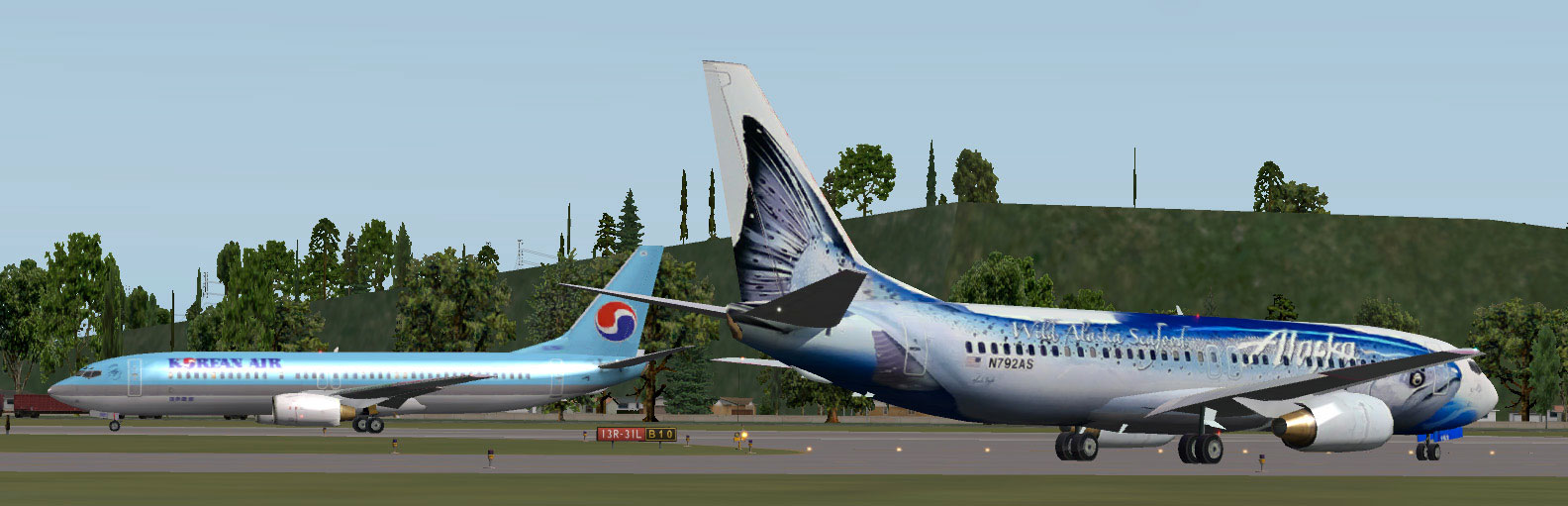
- Alaska
- American
- Delta
- Jet Airways
- Korean Air
- Ryanair
- SAS Scandinavian

FSX Bombardier Learjet 60 Package

Screenshot 1

Download

A twin fanjet, 8 place business aircraft. This release contains five complete aircraft in real-world liveries from USA(2), Canada, Great Britain, and Germany.

Learjet 60 in flight.Each model is a complete package of aircraft, a panel with internal views, DVC (Dynamic Virtual Cockpit) and fully modeled luxury passenger cabin.

Default Learjet sound, full ground handling module with push back and taxi speed control also included.

The visual model includes opening doors and all the usual control surface animations.

A comprehensive set of HTML documents (Check List & Ref List) are included for in-flight information. A separate Panel_Docs folder accompanies this release with panel and systems help files and pilot's notes.

World of AI Traffic Packages – 400+ AI Add-ons for FS2004 & FSX

World of AI AI Traffic Packages – Complete Airline Traffic Collection for FS2004 & FSX

World of AI traffic collection showing multiple international airline aircraft parked at a busy airport in Microsoft Flight Simulator

Bring the World’s Airlines to Your Virtual Airports

A quiet airport can make even the most detailed flight simulator feel empty. The World of AI (WOAI) AI Traffic Packages collection offers a way to transform that experience by adding hundreds of airline, cargo, general aviation and military traffic packages to your simulator.

This large archive brings together more than 400 World of AI packages in one download, making it a useful resource for flight simulation enthusiasts who want a much busier and more diverse virtual aviation environment.

Package Overview

  • Package: World of AI AI Traffic Packages

  • Archive filename: woai-packages.zip

  • File size: Approximately 2.2 GB

  • Number of packages: More than 400

  • Simulator compatibility: Microsoft Flight Simulator 2004 and FSX

  • Required utility: World of AI Installer

  • Content: Airline, cargo, general aviation and military AI traffic

The collection includes both current and historic airline packages. It also features more than 120 airlines that have ceased operations, offering an interesting opportunity to recreate aviation from earlier years.

What Is Included?

1. International Airline Traffic

The archive includes packages for a wide range of international carriers. Examples include:

  • Aer Lingus

  • Air Arabia

  • Air India Express

  • American Airlines

  • Delta Air Lines

  • easyJet

  • JetBlue Airways

  • KLM Royal Dutch Airlines

  • Korean airline Jin Air

  • Southwest Airlines

  • United Airlines

  • WestJet

These packages add aircraft models, airline liveries and scheduled AI movements to the simulator.

2. Cargo Airlines

Cargo operations help make major airports feel more realistic, especially during nighttime and early-morning sessions.

The collection includes cargo operators such as Lufthansa Cargo and Martinair Holland Cargo, along with other freight-related traffic packages.

3. General Aviation and Military Traffic

World of AI also includes selected general aviation and military packages.

Examples of general aviation aircraft include:

  • Gulfstream III

  • Hawker XP800

  • Learjet 35

  • Cessna Citation 550

  • Boeing Business Jet

  • Beechcraft King Air F90

This adds more variety beyond regular scheduled airline operations.

4. Historic Airlines

One of the most interesting features is the inclusion of more than 120 airlines that no longer operate.

These packages can help recreate older aviation environments and bring back airlines that disappeared from real-world airports.

Installation Requirements

The traffic packages require the separate World of AI Installer. The installer is available as a separate download and supports both FS2004 and FSX.

You will need:

  1. World of AI AI Traffic Packages archive

  2. World of AI Installer

  3. Microsoft .NET Framework 2.0 for the installer

How to Install

  1. Download the woai-packages.zip archive.

  2. Download and extract the World of AI Installer.

  3. Start the installer and select your simulator version.

  4. Choose the airline or traffic packages you want to install.

  5. Follow the installer instructions to complete the installation.

  6. Start the simulator and check that airline traffic density is enabled.

Important: Keep the individual World of AI package ZIP files compressed when selecting them through the installer. Do not extract every package archive unless its documentation specifically instructs you to do so.

For best results, install a few packages first and test them before adding the entire collection. Installing too many packages can create duplicate traffic or increase system load, particularly if another AI traffic system is already installed.

Compatibility Notes

The archive is listed for both Microsoft Flight Simulator 2004 and Microsoft Flight Simulator X. However, individual packages may have separate FS2004 and FSX versions.

Always select the correct version for your simulator. Some airline schedules and liveries are historical and may not represent current real-world operations.

Final Thoughts

The World of AI AI Traffic Packages collection is a substantial resource for anyone who wants to bring more life to FS2004 or FSX.

With hundreds of airline, cargo, general aviation and military packages, it offers a broad selection of AI traffic in one archive. Whether you enjoy watching aircraft movements at major international airports or recreating the airlines of an earlier era, World of AI provides plenty of possibilities.

Downloads:

Note: This is an archived freeware collection. Check the included documentation and package-specific compatibility before installation.

FSX IFly Boeing 747-400

Screenshot 1

Download 

Features extremely detailed cockpit with fully simulated FMC, complete TCAS simulation with audio and visual TA and RA system. Also fully simulated Inertial Reference System. 90% of 3D fully operational buttons in VC mode. Three model configuration for better performance. Included are seven liveries.

FSX Qantas Airbus A380-800

Screenshot 4

Download

FSX Qantas Airbus A380-800. High quality Gmax model of the Airbus A380-800, the world's largest passenger jet. The model includes all the usual things as a steering nose wheel, taxi and landing lights, dynamic shine and all moving parts, including a fully animated landing gear animation. Some special things include three opening doors, with visible interior, flexing wings, wing views and trim animation for the horizontal stabilisers.

FSX Concorde

Screenshot 2

Download


This add-on for Microsoft Flight Simulator X brings the legendary Concorde to your desktop. This is a fully featured add-on that includes many advanced textures and features such as a full Virtual Cockpit, 3D animations on exterior model, effects including smoke and afterburner and much more. The model is based on the FS France model that was popular in FS2004, but has now been modified and upgraded to be fully functional in FSX too.


The British Airways paint scheme.

Five paint jobs are included with this package. Includes fully animated nose visor, gear, afterburner and smoke effects, VC (virtual cockpit) and much more. Model by the team at FS France.

Comes with the following paint schemes:
Air France
Air France 1977
Air France Pepsi
British Aerospace 1974
British Airways 1977
British Airways 1988
British Airways 2000
Lufthansa
Singapore Airlines

This aircraft was one of the most legendary aircraft on the planet until its demise after many technical faults. You can still fly this beautiful aircraft in the virtual world.

FSX/P3D Boeing 787 Dreamliner Mega Pack


A fully-featured Boeing 787 freeware package for Microsoft Flight Simulator X and Prepar3D including 3 different models and 56 repaints/liveries of real-world airlines. Fully compatible with the latest FSX: Steam Edition and Prepar3D v4.5+ (and backward compatible too).

Affectionately named the "Dreamliner", the Boeing 787 (originally the 7E7) is a mid-size, long-range aircraft manufactured by Boeing has been adopted by many real-world airlines and flight sim users alike.


The 787 flight sim model was originally developed by TDS and a complete Virtual Cockpit (VC) by Alejandro Rojas Lucena/FSND (with modifications using Ken Wiggington's 737 VC tweaks) has been included. The compilation of all of the features, repaints, and compatibility (especially in P3Dv4) was completed by Chris Evans.

People have, over the years, shifted over from using 2D panels and the most requested feature now for freeware aircraft is a working 3D VC. The VC included in this package is based on a 737-800 VC with some changes to make it look more like the 787's cockpit.

Features
56 Liveries/repaints included.
Three different variants - 787-8, 787-9, 787-10.
Custom sound packs.
Fully functional VC (Virtual Cockpit)
Advanced animations including opening the pilot's window, working wipers, and rain effects.
HUD (Head-up display) on some aircraft.
FMC, G1000 MFD on some models.
GPWS (Ground Proximity Warning System).
Checklists, FMC documentation, and user manuals included.

The package has been created in a certain way for ease of use. There is no need to edit .cfg files, manual add repaint configuration, panel settings or anything like that - simply drag the relevant folders into your copy of FSX or P3D and load the aircraft up in your simulator.

Each aircraft/folder is complete and separate making it easier to use. While doing it this way makes it easier, it does mean the initial download is larger. However, we find users prefer larger downloads over manually editing configuration files and learning how to add repaints.

Models Included

Included are three models with various different liveries for each.
Boeing 787-8
Boeing 787-9
Boeing 787-10
Liveries/Repaints Included

56 liveries and 3 models are included in this package. All are listed below.
Boeing 787-8
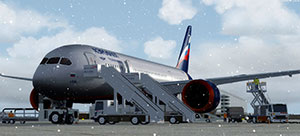
Aeroflot
AeroMexico
Air Canada
Air Force One
Air Tanzania
All Nippon Airways (ANA)
Avianca
Azerbaijan Airlines
China Southern
El Al
Japan Airlines (JAL)
Kenya Airways
LOT
Royal Air Maroc (RAM)
Thai Airways
TUI Airways
United Airlines
Uzbekistan Airways
Boeing 787-9
Air Canada
Air China
Air Europa
Air France
Air New Zealand
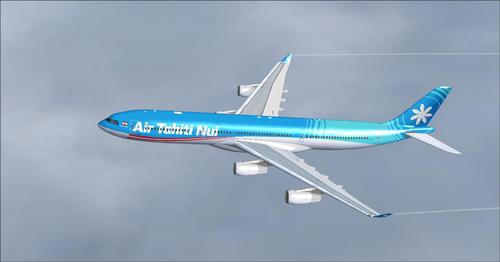
Air Tahiti Nui
All Nippon Airlines (ANA)
American Airlines
Bamboo Airways
British Airways
China Southern
Egyptair
El Al
Emirates
Etihad
Gulf Air
Gulf Air 2019
Hainan Airlines
Hainan Airlines Red
Hawaiian Airlines
KLM
Korean Air
Latam Chile
LOT Polish Airlines
Lufthansa '2019 Livery'
Neos
Qantas
Qantas 'Yam Dreaming'
Royal Air Maroc
TUI Airways
Turkish Airlines
United Airlines
United Airlines 2019
WestJet
Boeing 787-10
KLM Royal Dutch Airlines
Saudia
Singapore Airlines
United 2019
Installation
Unzip the entire archive to a temporary folder.

In the root folder of the extracted archive, there are 5 folders. Copy the contents of the "Sound" folder into your main FSX or P3D Sound folder.

Copy the contents of the "Effects" folder into your main FSX or P3D Effects folder.

Inside the "Aircraft Packs" folder there are 56 different folders representing each different Boeing 787 mode/livery in the package.

Inside each of these folders are a selection of screenshots and the actual folder containing the aircraft model and paint which your simulator will use.

Copy this final folder (if confused this folder will contain the ".air" and "Aircraft.cfg" files) into the FSX or P3D "\SimObjects\Airplanes" directory.

You should do this for each variant you want to use.

Once complete, you should now find the aircraft visible in your copy of FSX or P3D.

Airbus A340 Mega Package Vol 2 FSX & P3D


Complete package including the Airbus A340-200 and A340-300.

Airbus A340 Mega Package Vol 1 FSX & P3D


Download

Complete package including all Airbus A340-XXX (from Thomas Ruth) with virtual cockpit and 42 repaints of high quality. Also contains two types of sound: CFM56-5C and Rolls-Royce Trent 500

JetBlue A320 Mega Pack FSX & P3D


Download

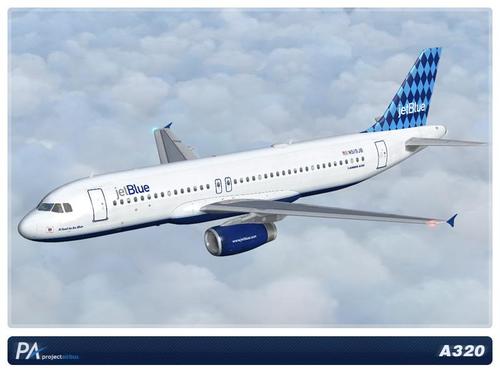
This is a pack of Airbus A320 from the US airliner JetBlue Airway, with 17 textures included with special editions. Virtual cockpit textures remastered in HD, personalized and authentic sounds, gauges Airbus A321, add-on is 100% compatible with Prepard3D and FSX Steam. A pack that should please Airbus lovers.

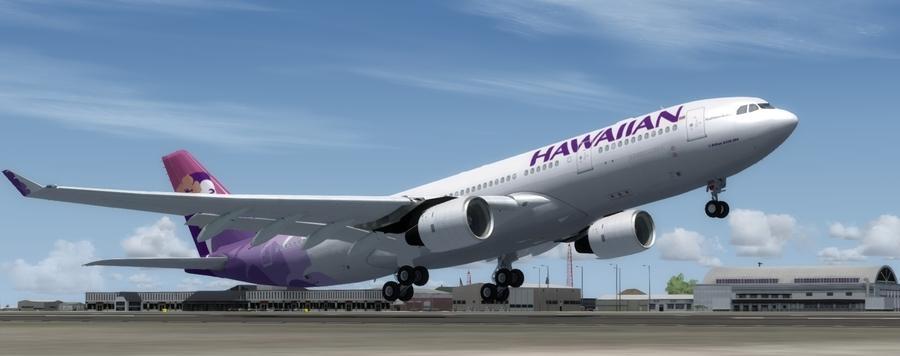
Airbus A330-200 Hawaiian Airlines FSX & P3D

a332hawai1

Download

Complete package for this Airbus A330-243 in the colors of Hawaiian Airlines. Included GPWS for Airbus, FMC, VC and custom sounds. FSX and P3D compatible up to v4.1 +.

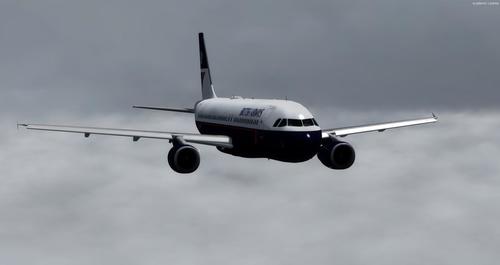
Airbus A320-232 in British Airways Landor FSX & P3D


Download

Very nice Airbus A320-232 modeled by Project Airbus, This pack includes the Stefan Liebe 2D Panel A32X, which includes an SFCC (slats/flaps computer) pre-configured by Ken Webber, as well as Callouts, calculation V1, auto-flare, FMC And much more. An IAE2500 sound pack from SkyHigh Simulations is also included. Thanks to Ken Webber for this repaint, pack, and permission to share.

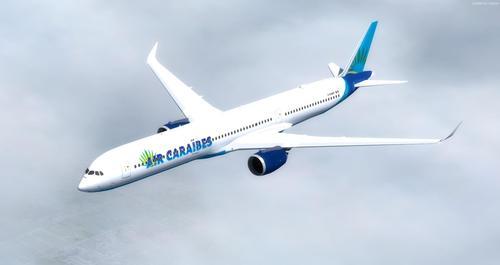
Airbus A350-1000 XWB CamSim FSX & P3D


Download

Airbus A350-1000 with eight repaints, virtual cockpit and custom sounds. Thanks to Camil Valiquette (CamSim) for giving us permission to convert their model from A350-1000 to P3D v4 / FSX in native format.

Repaints: Virgin Atlantic "Red Velvet", Emirates, House Colors, Air Caraibes, British Airways, Cathay Pacific, Japan Airlines, Philippines

The virtual cockpit and the 2D Panel come from Thomas Ruth's A330NG. Actually, there is no virtual cockpit of the A350 available as Freeware, we hope one day, so we can replace this A330NG VC, if you want to achieve a virtual cockpit for the A350 thank you to contact us, we can help you.

That said, the virtual cockpit of the A330NG makes it possible to perfectly pilot this plane very stable, the sensations of piloting are there. There is also a Honeywell FMC, a GPWS, a HUD and multiple gauges.

FSX Iran Air Airbus A310-304


Download

Iran Air, branded as The Airline of the Islamic Republic of Iran, is the flag carrier airline of Iran and the oldest airline in the Middle East, operating services to 58 destinations.Its main bases are the Tehran Imam Khomeini International Airport for international flights and Tehran Mehrabad Airport for domestic flights .Iran Air has 2 active A310s. This model is Airbus 310-304.

Installation:

Copy the Textures Folder to your .../Microsoft Games/Microsoft Flight Simulator X/Sim Objects/Airplanes folder.
Copy the following into your airplane Aircraft TXT.
[fltsim.x]
title= A310 Iran Air 'EP-IBK'
sim=TomA310
model=GE
panel=310GE
sound=
texture=IBK
kb_checklists=
kb_reference=
atc_id=EP-IBK
atc_airline=Iran Air
atc_flight_number=495
atc_heavy=1
ui_manufacturer=Airbus
ui_typerole=Commercial Airliner
ui_createdby=Thomas Ruth
ui_type=A310-300
ui_variation=Mahan Air
description=iran air

[fltsim.x]
title= A310 Iran Air 'EP-IBL'
sim=TomA310
model=GE
panel=310GE
sound=
texture=IBL
kb_checklists=
kb_reference=
atc_id=EP-IBL
atc_airline=Iran Air
atc_flight_number=496
atc_heavy=1
ui_manufacturer=Airbus
ui_typerole=Commercial Airliner
ui_createdby=Thomas Ruth
ui_type=A310-300
ui_variation=Mahan Air
description=iran air

FSX Zagros Airlines MD-83 with VC


Zagros Airlines was founded in 2005 in Abadan, Iran. The airliner uses Mehrabad International Airport and Abadan Airport as its primary hubs.In September 2013 the airline took delivery of an Airbus A320-200. In January 2016, Zagros Airlines acquired Iran's first A319 into service.This model is MD-83(EP-ZAK). Repainted by Amirhossein Sanaeifard.

X-Plane 11


The future of flight simulation is now! X-Plane 11 is the detailed, realistic, and modern simulator you’ve been waiting for. Intuitive user interface, 3-D cockpits, new effects, 3-D sound, living airports and world-wide scenery.

Donate Me