Support My BlogSupport My Blog
Showing posts with label Freeware. Show all posts

Weather Presets Pack v1.10.1 for MSFS 2020 – 16 Weather Scenarios


Weather Presets Pack for MSFS 2020 featuring fog, snow, thunderstorms and dramatic clouds

Weather Presets Pack for MSFS 2020 – 16 Atmospheric Conditions

Experience Different Weather Conditions in Microsoft Flight Simulator

Looking for more variety in your flight simulation weather?

Weather Presets Pack by DoNotBeOnFire (DNBOF) adds a collection of selectable weather conditions to Microsoft Flight Simulator 2020. From peaceful skies and light breezes to heavy thunderstorms, fog, snow and strong winds, this package offers more ways to customize your flights.

Whether you enjoy challenging instrument approaches, dramatic weather screenshots or soaring with a glider, these presets provide convenient starting points for different flying experiences.

What Is Weather Presets Pack?

Weather Presets Pack is a freeware weather enhancement add-on for Microsoft Flight Simulator 2020.

It adds 14 regular weather presets and two experimental location-specific scenarios.

Instead of manually adjusting every weather parameter, you can select a preset before departure and begin your flight with the desired atmospheric conditions.

Main Weather Presets

The package includes the following 14 regular presets:

  • Atmospheric: Dramatic cloud formations, especially attractive around sunrise and sunset.

  • Breezy: Moderate surface winds with stronger winds at higher altitudes.

  • Deicing: An artificial workaround for simulated icing conditions.

  • Fog: Reduced horizontal and slant visibility.

  • Light Snow Showers: Scattered snow showers with light winds.

  • Lying Snow: Snow-covered ground with calm conditions.

  • Shallow Mist: Mist affecting medium- and long-range visibility.

  • Small Heavy Showers: Compact areas of heavy rainfall.

  • Small Thunderstorms: Smaller, concentrated thunderstorm formations.

  • Snow Showers: Scattered snow showers with significant precipitation.

  • Soaring Ridge: Wind and cumulus clouds suitable for ridge soaring.

  • Soaring Thermals: Thermal soaring conditions with cumulus clouds.

  • Thunderstorms: Large thunderstorm formations with gusty winds.

  • Windy: Strong winds at the surface and higher altitudes.

Experimental Location-Specific Weather

The package also includes two experimental weather scenarios:

Hurricane KMIA

A hurricane-themed weather scenario designed around Miami International Airport.

Supercell EGLC

A dramatic supercell scenario designed around London City Airport, with storm activity extending toward the surrounding London area.

These experimental presets are location-specific. They are not intended to represent actual live weather reports.

Main Features

  • 16 selectable weather scenarios

  • Fog, mist and reduced visibility

  • Snow and winter conditions

  • Strong winds and thunderstorms

  • Glider-friendly soaring conditions

  • Experimental hurricane and supercell scenarios

  • Quick selection through the simulator's weather menu

Technical Information

ItemDetails
Add-onWeather Presets Pack
Version1.10.1
AuthorDoNotBeOnFire (DNBOF)
File Size3.03 MB
LicenseThe Unlicense
CategoryWeather / Utilities
SimulatorMicrosoft Flight Simulator 2020
Required Build1.27.21.0 or later

Installation Guide

The package can be installed through Rikoooo Hub.

  1. Download and install the package using Rikoooo Hub.

  2. Make sure the package is installed in the MSFS 2020 Community folder.

  3. Restart Microsoft Flight Simulator.

  4. Open the World Map and select the weather menu.

  5. Look for the DNBOF weather presets.

  6. Choose your preferred conditions before starting the flight.

The package requires the simulator's fs-base-ui component version 0.1.10 or later.

If you already have an unmanaged copy of this package in your Community folder, remove or move it before installing the Rikoooo version.

Download Weather Presets Pack

Visit the official Rikoooo page for package details and installation information.

Official Download Page:

Author's GitHub Project:

Final Thoughts

Weather Presets Pack is a useful addition for MSFS 2020 pilots who want more control over their flying environment.

From quiet misty mornings to powerful thunderstorms, the different presets make it easier to create interesting flight scenarios without manually configuring every weather setting.

If you enjoy challenging approaches, winter flying, glider operations or dramatic aviation screenshots, this freeware package is worth exploring.

Disclaimer: This article is an informational overview. The package is designed for MSFS 2020. Compatibility with MSFS 2024 has not been officially announced in the reviewed source. Weather presets are simulated scenarios and do not represent live meteorological conditions.

Gauges Effects Recover Tool v2.3 for FSX, P3D & FS9


Gauges Effects Recover Tool v2.3 by Rikoooo for FSX, Prepar3D and FS2004

Gauges Effects Recover Tool v2.3 for FSX, Prepar3D & FS9

Repair Missing Gauges and Effects in Your Flight Simulator

Are you experiencing missing cockpit instruments, absent visual effects or unexpected instability in your flight simulator?

Missing or damaged simulator files can sometimes cause these problems. Before considering a complete simulator reinstallation, it may be worth checking the original Gauges and Effects folders.

Gauges Effects Recover Tool v2.3, provided by Rikoooo, is a freeware utility designed to restore original files in these folders for Microsoft Flight Simulator and Prepar3D.

What Is Gauges Effects Recover Tool?

Gauges Effects Recover 2.3, formerly known as Gauges Recovery v1.2, is a repair utility for several generations of Microsoft flight simulators.

Its primary purpose is to restore missing original files from the simulator's Gauges and Effects folders.

These folders contain important components used by aircraft instruments, cockpit displays and visual effects.

If some of these files are missing, certain aircraft may display incomplete instruments or fail to show expected effects.

Main Features

  • Restores original files in the Gauges folder

  • Restores original files in the Effects folder

  • Helps address missing cockpit instruments

  • Helps repair missing simulator effects

  • Includes a DLL fix option

  • Designed for multiple Microsoft flight simulator versions

  • Automatic installation using Rikoooo Installer 10.5

DLL Fix Function

Version 2.0 introduced an additional DLL fix feature for problems involving:

  • MSVCP70.DLL

  • msvcr70.dll

  • UIAutomationCore.dll

These files can be associated with certain simulator crashes or missing gauges.

Use the repair options carefully and select the correct simulator installation.

Compatibility

According to Rikoooo, version 2.3 supports:

  • Microsoft Flight Simulator 2004 (FS9)

  • Microsoft Flight Simulator X

  • FSX Steam Edition

  • Prepar3D v1.4

  • Prepar3D v2.5

  • Prepar3D v3.4

  • Prepar3D v4.5

Although some Rikoooo listings show broader Prepar3D compatibility categories, the detailed version information specifically identifies the versions above. Users of newer Prepar3D releases should verify compatibility before running the utility.

Technical Information

ItemDetails
Add-onGauges Effects Recover Tool
Version2.3
DeveloperRikoooo
File Size68.4 MB
LicenseFreeware
InstallerRikoooo Installer 10.5
CategorySimulator Utilities
Supported SimulatorsFS9, FSX, FSX Steam, selected P3D versions

Version History

Version 2.3 – April 21, 2019

  • Added Prepar3D v4.5 compatibility

  • Fixed a file-copying issue

Version 2.2 – October 11, 2018

  • Updated compatibility for Prepar3D v4.3 and v3.4

  • Updated installer to version 10.5

Version 2.1 – June 22, 2017

  • Added Prepar3D v3.0 and v4.0 compatibility

Version 2.0 – September 7, 2015

  • Expanded restoration compatibility

  • Added DLL fix functionality

Download Gauges Effects Recover Tool v2.3

Visit Rikoooo's official page for the utility and installation information.

Official Download Page:

Important Installation Advice

Before using any repair utility, consider these precautions:

  1. Close your flight simulator.

  2. Back up your existing simulator installation or relevant folders.

  3. Confirm the correct simulator version.

  4. Follow the utility's instructions carefully.

  5. Test the simulator after the repair.

The tool is intended to restore original files. It is not a universal solution for every crash, missing gauge or add-on compatibility problem.

Final Thoughts

Gauges Effects Recover Tool v2.3 is a useful troubleshooting utility for users of older Microsoft Flight Simulator platforms.

If you encounter missing instruments, missing visual effects or certain file-related problems, this tool may help restore important simulator components without requiring a complete reinstall.

For users of FS9, FSX and supported Prepar3D versions, it is a handy utility to keep in mind.

Disclaimer: This article is an informational overview. Always back up important files before using repair utilities. Refer to Rikoooo for the latest instructions and compatibility details.

HD Moon Texture Replacement v3.0 for FSX & Prepar3D


HD Moon Texture Replacement v3.0 – high-resolution Moon textures for FSX and Prepar3D

HD Moon Texture Replacement for FSX & Prepar3D – Version 3.0

Enhance Your Night Flights with High-Definition Moon Textures

Night flying in Microsoft Flight Simulator can be even more immersive with improved environmental details.

HD Moon Texture Replacement v3.0, created by Marco Fischbach, is a freeware texture enhancement add-on that replaces the default Moon textures with high-definition images.

Designed for Microsoft Flight Simulator X and Prepar3D, this lightweight modification gives the Moon a much sharper and more detailed appearance during night flights.

What Is HD Moon Texture Replacement?

The default Moon textures in FSX and Prepar3D have relatively low resolution.

This add-on replaces all 15 Moon textures with enhanced versions, offering resolutions of up to 2048 × 2048 pixels.

Compared with the original 64 × 64 textures, this represents a substantial increase in image resolution.

The result is a more detailed Moon that looks better during night flights and high-altitude cruising.

Main Features

  • Replaces 15 default Moon textures

  • High-definition textures up to 2048 × 2048 pixels

  • Improved lunar surface details

  • Enhanced appearance during night flights

  • Automatic installation

  • Original textures backed up automatically

  • Original files restored when uninstalling

  • Lightweight freeware modification

Technical Information

ItemDetails
Add-onHD Moon Texture Replacement
Version3.0
AuthorMarco Fischbach
File Size40.8 MB
LicenseFreeware
CategoryEnvironment / Texture Enhancement
InstallerRikoooo Installer 10
Texture Count15
Maximum Resolution2048 × 2048

Compatibility

According to the official Rikoooo page, HD Moon Texture Replacement v3.0 supports:

  • Microsoft Flight Simulator X (all versions)

  • FSX Steam Edition

  • Prepar3D v1

  • Prepar3D v2

  • Prepar3D v3

  • Prepar3D v4

  • Prepar3D v5

  • Prepar3D v6

Installation

Installation is fully automated through the Rikoooo installer.

The installer backs up the original Moon textures before replacing them with the high-definition versions.

If you decide to remove the add-on, the uninstaller restores the original simulator files.

This makes it a convenient modification for users who want to improve their night-flight visuals without manually replacing texture files.

Download HD Moon Texture Replacement v3.0

Visit the official Rikoooo page to view the package details and download information.

Official Download Page:

Final Thoughts

HD Moon Texture Replacement v3.0 is a simple but effective visual enhancement for FSX and Prepar3D users.

Although it does not change aircraft, airports or scenery, its higher-resolution Moon textures add an extra touch of detail to night flights.

If you enjoy flying after sunset, this freeware modification is worth adding to your simulator environment.

Disclaimer: This article is an informational overview. Please check the official Rikoooo page for the latest availability and compatibility information.

VC Rain Fix FSX – Fix Opaque Virtual Cockpit Windows in Rain


VC Rain Fix FSX by Flight1 – restoring transparent virtual cockpit windows in rainy weather

VC Rain Fix FSX – Fix Opaque Virtual Cockpit Windows in the Rain

Restore Window Transparency in FSX Virtual Cockpits

Have you ever experienced blue or completely opaque cockpit windows when flying in rainy weather in Microsoft Flight Simulator X?

This issue can occur with certain older FS2004 aircraft converted for FSX. When entering rainy weather, the virtual cockpit windows may become opaque, making it difficult or impossible to see outside.

VC Rain Fix FSX, developed by Flight1, is a small freeware utility designed to address this specific problem.

What Is VC Rain Fix FSX?

VC Rain Fix is a repair utility for Microsoft Flight Simulator X.

It addresses a known transparency issue affecting certain converted aircraft, particularly those originally designed for FS2004.

When the aircraft encounters rainy weather, the cockpit glazing may appear blue or completely solid instead of remaining transparent.

This utility helps restore the expected window transparency in affected virtual cockpits.

Main Features

  • Fixes opaque virtual cockpit windows in rainy weather

  • Addresses blue or solid cockpit glazing

  • Designed for affected FS2004 aircraft converted to FSX

  • Small download size

  • Freeware utility

  • Developed by Flight1

Compatibility

VC Rain Fix FSX is listed as compatible with:

  • Microsoft Flight Simulator X SP2

  • FSX Acceleration

  • FSX Steam Edition

Please note that this utility targets a specific aircraft window transparency issue. It does not guarantee a fix for every aircraft or every weather-related graphics problem.

Technical Information

ItemDetails
Add-onVC Rain Fix FSX
DeveloperFlight1
VersionNot specified
File Size1.12 MB
LicenseFreeware
CategoryFSX Utility / Modification
Compatible SimulatorsFSX SP2, Acceleration, FSX Steam

Download VC Rain Fix FSX

You can find the utility on the Rikoooo website.

Official Download Page:

Final Thoughts

VC Rain Fix FSX is a useful little utility for flight simulation enthusiasts who still enjoy flying older FS2004 aircraft converted for FSX.

If your virtual cockpit windows suddenly turn blue or opaque during rainy weather, this tool may help resolve the issue.

It is a simple and lightweight addition worth considering for users who want to keep their classic FSX aircraft working as expected.

Disclaimer: This article is an informational overview. The utility is provided as freeware. Always check compatibility and installation instructions before applying modifications to your simulator.


High Definition Environment v2.1 for FSX & Prepar3D – HD Clouds


High Definition Environment v2.1 for FSX and Prepar3D featuring enhanced clouds and sky textures

High Definition Environment v2.1 for FSX & Prepar3D – Enhanced Clouds, Sky and Ground Textures

Give Your Flight Simulator a More Realistic Environment

Looking to improve the visual atmosphere of your flight simulator without installing a large scenery package?

High Definition Environment v2.1 (HDE v2.1) is a freeware texture enhancement package designed for Microsoft Flight Simulator X and Prepar3D. It improves the appearance of clouds, sky colors and selected ground details, helping create a more immersive flying experience.

Developed originally by Pablo Diaz, the package was adapted for FSX by Danny Glover and Erik Bender of Rikoooo.

What Does HDE v2.1 Improve?

HDE v2.1 focuses on the visual environment rather than aircraft or airport scenery.

Its main improvements include:

1. High-Definition Cloud Textures

The package replaces the default cloud textures with enhanced versions of:

  • Cumulus clouds

  • Stratus clouds

  • Cirrus clouds

These changes give the sky a more detailed appearance during different types of flights.

2. Enhanced Sky Colors

HDE v2.1 modifies sky color textures to provide a refreshed visual atmosphere.

The improved colors can make daytime and aerial views look more appealing, depending on lighting and weather conditions.

3. Improved Ground Details

Selected ground textures are also enhanced, including grass details.

These visual changes help improve the appearance of the environment when flying at lower altitudes or approaching an airport.

Main Features

  • High-definition cloud textures

  • Enhanced cumulus, stratus and cirrus clouds

  • Improved sky colors

  • Enhanced grass and selected ground details

  • Automatic installation and uninstallation

  • Original texture backup and restoration

  • Small download size

Compatibility

According to Rikoooo, HDE v2.1 supports:

  • Microsoft Flight Simulator X (all versions)

  • FSX Steam Edition

  • Prepar3D v1

  • Prepar3D v2

  • Prepar3D v3

  • Prepar3D v4

  • Prepar3D v5

  • Prepar3D v6

Always check the current compatibility information on the official download page before installation.

Installation and Uninstallation

HDE v2.1 uses the Rikoooo automatic installer.

One useful feature is that the installer backs up the original simulator textures before applying the new ones.

When uninstalling the package, the original textures can be restored.

This makes it easier to return to the default visual environment if you decide to remove the modification.

Technical Information

ItemDetails
Add-onHigh Definition Environment v2.1
Version2.1
File Size20.4 MB
LicenseFreeware
Original AuthorPablo Diaz
FSX UpdateDanny Glover and Erik Bender
InstallerRikoooo Installer 10
CategoryEnvironment / Texture Enhancement
SimulatorFSX and Prepar3D

Download High Definition Environment v2.1

You can find the package and installation information on Rikoooo's official website.

Official Download Page:

Final Thoughts

High Definition Environment v2.1 is a lightweight visual enhancement for flight simulation enthusiasts who want to refresh the appearance of FSX or Prepar3D.

Its focus on clouds, sky colors and ground details makes it a useful option for pilots who want a more attractive environment without installing a large scenery add-on.

If you are still flying with the default environment textures, HDE v2.1 is worth considering.

Disclaimer: This article is an informational overview. Compatibility and availability may change. Please refer to Rikoooo's official website for the latest information.


Airbus A350-1000 CamSim for FSX & P3D – Freeware


Airbus A350-1000 XWB CamSim freeware aircraft for FSX and Prepar3D

Airbus A350-1000 XWB CamSim for FSX and P3D – Freeware Aircraft Add-on

The Airbus A350-1000 XWB is one of the most recognizable members of Airbus's modern widebody aircraft family. If you enjoy flying long-haul passenger jets in Microsoft Flight Simulator X or Prepar3D, the Airbus A350-1000 XWB CamSim freeware package is worth exploring.

Available from Rikoooo, this add-on combines the CamSim A350-1000 exterior model with multiple airline liveries, a virtual cockpit, a 2D panel, and custom sounds.

Package Overview

The Airbus A350-1000 XWB CamSim package is designed for flight simulation enthusiasts who want to add a modern widebody aircraft to their virtual fleet.

Key Features

  • Aircraft: Airbus A350-1000 XWB

  • Original exterior model: Camil Valiquette (CamSim)

  • FSX/P3D conversion: Rikoooo

  • Airline liveries: Eight repaint options

  • Virtual cockpit: Included

  • 2D instrument panel: Included

  • Additional systems: Honeywell FMC, GPWS, HUD, and service gauges

  • Sound package: By KelvinMckenzieFlightsim

  • License: Freeware

  • Download size: Approximately 58.4 MB

  • Installer: Rikoooo automatic installer

The package uses the native FSX/P3D format and is intended for the simulator versions listed on the official download page.

Eight Airline Liveries

One of the highlights of this package is its selection of eight paint schemes. The included liveries are:

  1. Virgin Atlantic – Red Velvet

  2. Emirates

  3. House Colors

  4. Air Caraïbes

  5. British Airways

  6. Cathay Pacific

  7. Japan Airlines

  8. Philippines

These repaint options give virtual pilots several different appearances to choose from when preparing their next flight.

Whether you prefer the distinctive colors of an international airline or a more neutral house livery, the package offers a variety of visual options.

Virtual Cockpit and 2D Panel

Important detail: The virtual cockpit and 2D panel are based on Thomas Ruth's A330NG cockpit rather than a dedicated A350 cockpit.

This distinction is worth knowing before downloading. Although the exterior model represents the Airbus A350-1000, the cockpit environment comes from a different Airbus aircraft.

The package includes several additional instruments and systems to support simulated flight operations, including:

  • Honeywell Flight Management Computer (FMC)

  • Ground Proximity Warning System (GPWS)

  • Heads-Up Display (HUD)

  • Additional service gauges

These features provide extra functionality for users who want more than a basic aircraft model.

Custom Sounds and Flight Simulation

The package also includes custom sounds credited to KelvinMckenzieFlightsim.

Combined with the aircraft model and cockpit components, these sounds help complete the overall simulation experience.

As with other freeware aircraft packages, the exact experience may vary depending on your simulator configuration, hardware, and installed add-ons.

Compatibility: FSX and Prepar3D

According to the official Rikoooo listing, this add-on is compatible with:

  • Microsoft Flight Simulator X

  • Microsoft Flight Simulator X: Steam Edition

  • Prepar3D v1

  • Prepar3D v2

  • Prepar3D v3

  • Prepar3D v4

  • Prepar3D v5

The package is provided in native FSX/P3D format.

If you use a different simulator, such as Microsoft Flight Simulator 2020 or 2024, do not assume this version will work. Check for a separately developed version specifically intended for your simulator.

How to Download

The Airbus A350-1000 XWB CamSim package is available as freeware through Rikoooo.

Official download page:
https://www.rikoooo.com/downloads/viewdownload/6/930

Installation Steps

  1. Open the official Rikoooo download page.

  2. Review the compatibility information.

  3. Download the package.

  4. Run the installer and follow its instructions.

  5. Launch your simulator and check that the aircraft appears in the aircraft selection menu.

The package uses Rikoooo's automatic installer. Follow any additional instructions displayed during installation.

For the most reliable results, back up any relevant simulator configuration before installing new add-ons.

Who Is This Add-on For?

This freeware package may interest you if you:

  • Enjoy Airbus widebody aircraft.

  • Want to fly the A350-1000 in FSX or Prepar3D.

  • Like choosing from multiple airline liveries.

  • Prefer aircraft packages with a virtual cockpit and 2D panel.

  • Want to explore an additional long-haul aircraft without purchasing a payware add-on.

However, users looking for a fully dedicated A350 cockpit should be aware of the A330NG-based cockpit included in this package.

Final Thoughts

The Airbus A350-1000 XWB CamSim for FSX and P3D offers a freeware way to add the A350-1000 exterior model to a compatible flight simulator.

Its eight liveries, custom sounds, virtual cockpit, 2D panel, and additional gauges make it an interesting option for enthusiasts who enjoy modern passenger aircraft.

The main limitation to consider is that the cockpit is based on Thomas Ruth's A330NG rather than a dedicated A350 flight deck. Reviewing this detail before installation will help you decide whether the package matches your expectations.

Download the Airbus A350-1000 XWB CamSim

Visit the official Rikoooo page for the package details and download:

https://www.rikoooo.com/downloads/viewdownload/6/930


FSUSA – Your guide to flight simulator add-ons, freeware aircraft, airport scenery, liveries, and aviation simulation tools.

Edwards Air Force Base KEDW Photoreal Scenery for FSX & P3D


Edwards Air Force Base KEDW photoreal scenery for Microsoft FSX and Prepar3D

Edwards Air Force Base KEDW Photoreal for FSX and P3D – Freeware Scenery

Are you looking for a more realistic military aviation environment in Microsoft Flight Simulator X or Prepar3D? The Edwards Air Force Base KEDW Photoreal Scenery brings a vast area of California's desert landscape to your simulator with high-resolution photographic textures, detailed terrain, and additional airport objects.

This freeware scenery is an interesting option for flight simulation enthusiasts who enjoy military aviation, experimental aircraft, and low-altitude visual flights.

Discover Edwards Air Force Base

Edwards Air Force Base is located in California, USA. It has played an important role in American aviation testing and aerospace research for decades.

The base is historically associated with experimental aircraft, high-speed flight testing, and significant aerospace milestones. Its surrounding desert landscape makes it an appealing location for simulated test flights and visual approaches.

With this scenery installed, you can explore the Edwards area in greater detail within your flight simulator.

Key Features

According to the official download page, this scenery package includes the following features:

  • Photoreal coverage: Approximately 14,500 square kilometers of terrain.

  • High-resolution textures: A stated resolution of 1 meter per pixel.

  • Terrain mesh: 10-meter mesh resolution.

  • Additional airport details: 3D buildings, ground vehicles, and aircraft at parking positions.

  • Freeware: Available at no charge from Rikoooo.

  • Automatic installation: Uses the Rikoooo scenery installer.

The extensive coverage makes this scenery particularly suitable for low-and-slow flights, allowing you to examine the desert landscape and surrounding terrain from different altitudes.

A Large Photoreal Desert Environment

One of the main attractions of this package is its wide coverage area.

Rather than focusing only on the runway and immediate airport surroundings, the scenery extends across a substantial portion of the surrounding region. The photographic ground textures help create a more visually consistent environment during approaches, departures, and low-altitude flights.

The 10-meter terrain mesh also contributes to the representation of the underlying landscape.

For virtual pilots who enjoy exploring scenery outside the cockpit, the broad coverage provides additional opportunities for sightseeing and test-flight routes.

Airport Buildings and Ground Details

The package adds several visual elements to the Edwards Air Force Base environment, including 3D buildings, ground vehicles, and aircraft placed at parking areas.

These additions help create a more developed airport environment than terrain textures alone.

The scenery is designed to work alongside the original Edwards scenery in supported simulator installations, according to the developer's description.

Compatibility

The official Rikoooo listing identifies compatibility with the following simulators:

  • Microsoft Flight Simulator X with Service Pack 2

  • Microsoft Flight Simulator X: Acceleration

  • Microsoft Flight Simulator X: Steam Edition

  • Prepar3D versions 1 through 5

Important: Compatibility can depend on your simulator version and installation environment. Review the current requirements on the official download page before installing.

Download and Installation

The scenery is available as freeware through Rikoooo.

Official download page:
https://www.rikoooo.com/downloads/viewdownload/68/931

The package is approximately 3.37 GB, so make sure you have enough free disk space and a stable internet connection before downloading.

Installation Notes

The official instructions include an important step for handling the downloaded archive:

  1. Download the scenery package from Rikoooo.

  2. Extract all the downloaded archive files into the same folder.

  3. Confirm that the required files, including the split archive files such as Disk0001.tiz and Disk0002.tiz, are together.

  4. Run the installer executable.

  5. Follow the on-screen instructions to complete the installation.

  6. Start your simulator and check that the scenery is enabled.

Do not run the installer before extracting the required archive files together. Refer to the official page if you encounter installation problems.

Who Should Try This Scenery?

Edwards Air Force Base KEDW Photoreal may be worth considering if you:

  • Enjoy military aviation and experimental aircraft.

  • Prefer visual flights over realistic desert terrain.

  • Like low-altitude sightseeing and approach practice.

  • Want to explore a historically important American aviation test center.

  • Use a supported version of FSX or Prepar3D.

Because the package is large, users with limited storage space should check their available disk capacity before downloading.

Final Thoughts

Edwards Air Force Base KEDW Photoreal is a freeware scenery package focused on a broad photorealistic landscape, detailed terrain, and additional airport objects.

Its extensive coverage and high-resolution ground textures make it an appealing addition for virtual pilots who want to explore the Edwards area in FSX or Prepar3D.

If you are interested in military aviation, aerospace history, or desert test-flight environments, take a look at the official download page and confirm compatibility with your simulator before installing.

Download Edwards Air Force Base KEDW Photoreal for FSX and Prepar3D:
https://www.rikoooo.com/downloads/viewdownload/68/931


FSUSA – Your guide to flight simulator add-ons, freeware scenery, aircraft, liveries, and aviation simulation tools.

Boeing 787 Family + Virtual Cockpit for FSX & P3D


Boeing 787 Dreamliner with virtual cockpit for FSX and Prepar3D

Boeing 787 Family + Virtual Cockpit for FSX and P3D – Freeware Aircraft Add-on

The Boeing 787 Dreamliner is one of the most recognizable modern widebody airliners. If you enjoy flying long-haul routes in Microsoft Flight Simulator X or Prepar3D, the Boeing 787 Family + Virtual Cockpit package from Rikoooo is worth exploring.

This freeware package combines three Boeing 787 variants with an enhanced 3D virtual cockpit, custom avionics, aircraft sounds, and a collection of airline liveries. It brings together exterior models from Tenkuu Developers Studio (TDS) and cockpit assets based on MagKnight's work.

Official Download:
https://www.rikoooo.com/downloads/viewdownload/55/945

1. Package Overview

The Boeing 787 Family package is designed for flight simulation enthusiasts who want to experience the Dreamliner family in FSX and Prepar3D.

According to the official download page, the package includes three aircraft variants powered by GEnx engines:

  • Boeing 787-8

  • Boeing 787-9

  • Boeing 787-10

The package also includes a custom virtual cockpit integrated with the TDS exterior models.

Package Details

FeatureInformation
PackageBoeing 787 Family + Virtual Cockpit
VersionStable 1.1
File SizeApproximately 511 MB
LicenseFreeware
Aircraft ModelsBoeing 787-8, 787-9, 787-10
Virtual Cockpit3D
Supported SimulatorsFSX and Prepar3D
InstallationRikoooo automatic installer
Official SourceRikoooo

The package is listed as compatible with Prepar3D versions 1 through 5, FSX, and FSX Steam Edition. Always review the developer's current information before installing it.

2. Three Boeing 787 Variants

One of the main attractions of this package is the inclusion of three members of the Boeing 787 family.

Boeing 787-8

The 787-8 is the shortest of the three variants included in the package. It offers an opportunity to explore the Dreamliner's distinctive design while operating a modern long-haul aircraft in your simulator.

Boeing 787-9

The 787-9 provides another option within the family, with a longer fuselage than the 787-8. It is suitable for virtual airline operations and simulated international passenger routes.

Boeing 787-10

The 787-10 is the largest variant included in this package. It adds variety for simmers who enjoy operating different versions of the same aircraft family.

All three models are integrated with the package's virtual cockpit. The actual flight experience will depend on your simulator version, computer configuration, and installed settings.

3. Detailed 3D Virtual Cockpit

The virtual cockpit is one of the package's major features.

The cockpit assets are based on work by MagKnight and have been adapted for integration with the TDS Boeing 787 models. The package includes animated cockpit controls, custom gauges, and pop-up windows for important avionics functions.

Features listed on the official download page include:

  • Interactive switches, buttons, and levers

  • Custom cockpit gauges

  • GPS navigation functions

  • Ground Proximity Warning System (GPWS) sounds and alerts

  • Lighting and ground-service-related panels

  • Pushback panel

  • Maximum Landing Weight (MLW) calculator

  • Additional cockpit camera views

The package includes 22 custom views, covering areas such as the cockpit, overhead panel, wings, engines, landing gear, and passenger seating areas.

Important: This package does not include a traditional 2D cockpit panel. Its cockpit systems are designed around the 3D virtual cockpit, with pop-up windows available for essential avionics.

4. Custom GPS and Navigation Features

The included GPS gauge offers a range of navigation functions intended to support more detailed simulated flights.

According to the developer's description, the GPS includes features such as:

  • ILS frequency tuning

  • VOR and NDB frequency selection

  • Nearest airport and navigation-aid searches

  • Terrain map display

  • Traffic display

  • Terrain Awareness and Warning System (TAWS) map

  • Flight-plan map

  • Direct-to navigation

  • Runway lists

  • Approach transition selection

The package also includes an ILS autoland gauge specifically configured for the TDS Boeing 787.

These functions can add depth to virtual airline operations and instrument approaches. However, their availability and behavior may depend on the selected simulator version and configuration.

5. Aircraft Sounds and Flight Model

The package includes a custom Boeing 787 GEnx sound set credited to Kairi Akai.

It also includes adjustments to the flight dynamics files, commonly known as FDEs, intended to improve the aircraft's stability and balance.

Additional components include GPWS alerts, switch sounds, and configuration files for supported ground-service and airport-service tools.

As with any older freeware aircraft package, individual systems may behave differently depending on your simulator installation and other installed add-ons.

6. Airline Liveries Included

The package contains 54 upgraded liveries, including three exclusive Rikoooo liveries.

Examples listed on the official page include:

Boeing 787-8

  • United Airlines

  • Japan Airlines

  • Air Canada

  • Air India

  • China Southern Airlines

  • Ethiopian Airlines

  • Royal Air Maroc

Boeing 787-9

  • Air France

  • KLM

  • Etihad Airways

  • Vietnam Airlines

  • Saudi Arabian Airlines

  • American Airlines

Boeing 787-10

  • KLM

  • United Airlines

  • Etihad Airways

  • Emirates

  • Eastern Airlines

The exact selection varies by aircraft variant. Consult the official download page for the complete list of included liveries.

7. Performance and Installation Notes

The installer offers two configurations.

Performance-optimized version

This option removes aeronautical chart displays from the PFD and MFD screens, with navigation information instead available through the GPS. It may be preferable for users who need to reduce the aircraft's display-processing load.

Normal version

This option retains the standard navigation displays but may have a greater effect on frame rates, depending on your computer.

Before installing, check the following:

  1. Confirm that your simulator version is supported.

  2. Review the installation instructions included with the package.

  3. Choose the configuration that suits your computer.

  4. Read the cockpit and aircraft manuals provided in the Documents folder.

  5. Back up relevant simulator settings before making changes.

Prepar3D v4 and v5 have PBR texture support in this package, while FSX does not support PBR. The official description also notes a possible greyish appearance from certain angles with dynamic reflections enabled in Prepar3D v4.

This is an older freeware release, so compatibility with newer simulators should not be assumed.

8. Download Boeing 787 Family + Virtual Cockpit

Ready to explore the Boeing 787 family in your flight simulator?

Visit the official Rikoooo page for the download, installation information, compatibility details, and complete package description.

Official Download Page:
https://www.rikoooo.com/downloads/viewdownload/55/945

The package is listed as freeware. Review the current download page and included documentation before installation.

Final Thoughts

The Boeing 787 Family + Virtual Cockpit package brings together three Dreamliner variants, an integrated 3D cockpit, custom navigation gauges, aircraft sounds, and a broad selection of liveries.

For flight simulation enthusiasts who still use FSX or Prepar3D, it offers several aircraft configurations in a single package.

If you enjoy modern airliners, virtual airline operations, and long-distance flights, this Boeing 787 package is worth adding to your freeware research list.


Related Posts

Explore more aircraft and flight simulation resources on FSUSA Flight Simulator Hub.

Dubai City Pack v1.0 for MSFS 2020 – Free City Scenery


Dubai city skyline with additional buildings and landmarks in Microsoft Flight Simulator 2020

Dubai City Pack v1.0 for MSFS 2020 – Explore Dubai's Iconic Skyline

Want to explore one of the world's most spectacular skylines in Microsoft Flight Simulator 2020?

Dubai City Pack v1.0 is a freeware scenery add-on that enhances the default Dubai environment with more than 250 buildings and thousands of additional objects around Dubai City and Jebel Ali Port.

Created by Risuali, this package adds visual detail to the city and surrounding areas, making Dubai an appealing destination for sightseeing flights, virtual aviation videos, and low-altitude exploration.

From the city's distinctive landmarks to the busy port area, this scenery offers another way to discover Dubai from the air.

🌆 Discover Dubai in Microsoft Flight Simulator 2020

Dubai is famous for its striking skyline, modern architecture, waterfront developments, and impressive landmarks.

For flight simulation enthusiasts, the city provides an exciting environment for exploring urban scenery from different altitudes and camera angles.

The default scenery in MSFS 2020 already offers a virtual representation of Dubai. However, city scenery add-ons can introduce additional buildings and objects to enrich the visual environment.

Dubai City Pack v1.0 is designed specifically for this purpose, adding numerous structures around Dubai City and Jebel Ali Port.

🏙️ Key Features of Dubai City Pack v1.0

1. More Than 250 Additional Buildings

One of the main highlights of this package is its collection of more than 250 buildings.

These structures are placed around Dubai City to enhance the existing scenery and create a more detailed urban environment.

The additional buildings can make sightseeing flights more interesting, particularly when exploring the city from lower altitudes.

2. Thousands of Additional Objects

Beyond the buildings themselves, the package includes thousands of other objects placed throughout the scenery area.

These additional elements help add visual detail to the city and port environment.

Together, the buildings and objects aim to create a richer scenery experience than the default environment alone.

3. Enhanced Dubai City Scenery

The package is designed to improve the default Dubai scenery in Microsoft Flight Simulator 2020.

It provides additional structures that help give the city a more developed appearance during virtual flights.

For pilots who enjoy urban sightseeing, the scenery offers a reason to revisit Dubai and explore familiar areas from new perspectives.

4. Jebel Ali Port Area

The scenery also covers Jebel Ali Port, one of the major features of the package.

Adding structures and objects around the port expands the scenery beyond the central city, giving pilots another area to explore.

The port environment can be particularly interesting for low-altitude sightseeing and external-camera views.

5. Iconic Dubai Landmarks

The official description highlights well-known attractions, including:

  • Dubai Frame — a distinctive architectural landmark overlooking parts of the city.

  • Stargate — a recognizable themed structure in Zabeel Park.

These landmarks provide interesting visual points of reference when exploring Dubai from the air.

The scenery is intended to complement the default MSFS 2020 environment rather than replace the entire simulator world.

6. Daytime Scenery Exploration

The creator notes that the scenery is more enjoyable during the day than at night.

For the best first impression, consider flying over Dubai in daylight, when the added buildings and structures are easier to appreciate.

Clear weather can also help you explore the skyline and identify landmarks from different angles.

💻 Download Information and Compatibility

Before installing the scenery, review the main package details.

  • Scenery: Dubai City Pack v1.0

  • Simulator: Microsoft Flight Simulator 2020

  • Developer: Risuali

  • Version: 1.0

  • File Size: Approximately 206 MB

  • License: Freeware

  • Scenery Format: Classic 3D objects

  • Installation: Rikoooo automatic installer

  • Installer Version: MSFS v1.1

Compatibility

The official download page lists this package as compatible with:

Microsoft Flight Simulator 2020 only.

The installer is designed to detect the MSFS 2020 Community folder automatically.

Because the scenery was listed for MSFS 2020, do not assume it is compatible with Microsoft Flight Simulator 2024. Check for updated information from the creator or distributor before installing it in another simulator version.

Installation Tips

Before installing:

  1. Confirm that Microsoft Flight Simulator 2020 is installed correctly.

  2. Check that you have sufficient disk space for the download and installation.

  3. Follow the instructions provided by the installer.

  4. If you already use another Dubai scenery package, check for potential conflicts before enabling both add-ons.

Scenery packages that modify the same area can sometimes overlap, so testing the installation before a long flight is a sensible precaution.

🛫 Best Ways to Explore Dubai City Pack

Once installed, this scenery offers several enjoyable ways to explore Dubai.

1. Take a Dubai Sightseeing Flight

Plan a low-altitude flight around the city and explore the additional buildings from different directions.

Use external camera views to appreciate the skyline and identify landmarks.

2. Explore Dubai Frame

Use Dubai Frame as a visual point of interest while navigating around the city.

Approaching the area from different directions can provide interesting views for screenshots and virtual aviation videos.

3. Fly Around Jebel Ali Port

Explore the port area to see the additional structures included in the scenery.

The combination of urban buildings and port infrastructure offers a different perspective from flights focused only on the city center.

4. Capture Virtual Aviation Videos

The enhanced city environment can provide an interesting background for flight simulation videos.

Try recording a daylight approach, a sightseeing circuit, or an external-camera sequence over Dubai's skyline.

5. Compare Default and Enhanced Scenery

If you want to evaluate the add-on, compare the same locations with and without the scenery enabled.

Use similar weather, time of day, and camera positions to see which additional structures are visible in your setup.

These are suggested ways to use the scenery rather than dedicated missions included in the package.

📥 Download Dubai City Pack v1.0 for MSFS 2020

Ready to explore Dubai with additional city buildings and landmarks?

Visit the official Rikoooo download page to review the screenshots, package information, and installation instructions.

👉 Official Download Page:
https://www.rikoooo.com/downloads/viewdownload/115/946

The add-on is listed as freeware. Review the current download information and compatibility details before installation.

✈️ Related Posts

Gatwick Airport EGKK Ultra for MSFS 2020

Explore custom airport buildings, detailed parking stands, and additional scenery at London's Gatwick Airport.

👉 Read the Full Article:
https://fsusa.blogspot.com/2026/11/gatwick-airport-egkk-ultra-for-msfs.html

Airbus A320neo FlyByWire for MSFS 2020

Looking for an aircraft to use on your next virtual flight? Discover the FlyByWire A32NX community project for Microsoft Flight Simulator 2020.

👉 Read the Full Article:
https://fsusa.blogspot.com/2026/11/airbus-a320neo-flybywire-for-msfs-2020.html

Boeing 747-400 LCF Dreamlifter for FSX and P3D

Discover the unusual Boeing 747 Dreamlifter, a specialized cargo aircraft designed to transport oversized aircraft components.

👉 Read the Full Article:
https://fsusa.blogspot.com/2026/11/boeing-747-400-lcf-dreamlifter-for-fsx.html

📝 Final Thoughts

Dubai City Pack v1.0 is a freeware scenery add-on for Microsoft Flight Simulator 2020 users who want to explore a more detailed version of Dubai.

With more than 250 additional buildings, thousands of other objects, coverage around Dubai City and Jebel Ali Port, and landmarks such as Dubai Frame and Stargate, the package offers plenty of visual interest for sightseeing flights.

For the best experience, start with a daytime flight and explore the city from several different angles.

If you enjoy urban scenery and discovering famous destinations from the air, Dubai City Pack v1.0 is worth checking out.

Have you explored Dubai in Microsoft Flight Simulator 2020? Which city would you like to see enhanced with a scenery add-on next? Share your thoughts in the comments!


Disclaimer: This article is for informational purposes. The scenery add-on is provided by its respective creator and distributor. Please consult the official download page for current availability, license details, and compatibility information.

FSX paX Passenger Simulator

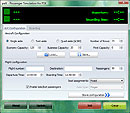
Screenshot of paX Passenger Simulator main window.

Download

FSX paX Passenger Simulator – Add Realistic Passenger Boarding to Flight Simulator X

Have you ever wanted to make your flight simulation experience feel more like a real airline operation? The FSX paX Passenger Simulator adds an extra layer of realism by simulating passenger boarding before departure.

Instead of simply starting your engines and preparing for takeoff, you can experience the delays and small obstacles that occur when passengers board an airliner.

What Is FSX paX Passenger Simulator?

The paX Passenger Simulator is a freeware add-on for Microsoft Flight Simulator X (FSX) developed by Henning Schaefer.

Its main purpose is to simulate passenger boarding procedures before an aircraft departs. Passengers may take time to find their seats, stow their luggage, and move through the cabin, creating realistic delays during the boarding process.

This add-on is designed for flight simulation enthusiasts who want to add more realism to their pre-flight routine.

Key Features of paX Passenger Simulator

1. Simulated Passenger Boarding

The add-on emulates passengers boarding an airliner before departure. This adds another operational step to your flight, making the time spent at the gate feel more realistic.

2. Realistic Boarding Delays

Passenger boarding does not always happen smoothly. Some travelers may take longer to get seated, delaying the boarding process.

The paX simulator recreates these situations, adding a little more unpredictability to your departure preparation.

3. A More Immersive Airline Experience

For virtual airline pilots and aviation enthusiasts, the add-on provides an additional element to enjoy before taxiing to the runway.

Combined with detailed aircraft add-ons, airport scenery, and realistic flight planning, passenger boarding simulation can help make each flight feel more like a complete airline journey.

4. Lightweight Freeware Add-On

The download package is approximately 1.11 MB, making it a small addition to your flight simulation setup.

The package is listed as freeware. Check the accompanying documentation for usage instructions and compatibility details before installation.

How to Install FSX paX Passenger Simulator

Follow these general installation steps to get started.

Step 1: Download the Package

Download the paX Passenger Simulator package from the download page linked below.

Step 2: Extract the Downloaded File

If the downloaded file is compressed, extract its contents to a temporary folder.

Step 3: Run the Installer

Locate Setup.exe and run it. Follow the instructions displayed by the installer.

Step 4: Read the Documentation

After installation, check the installation folder for the included documentation. Review the instructions to understand how to use the simulator.

Step 5: Launch FSX

Start Microsoft Flight Simulator X and follow the add-on's documentation to begin using the passenger simulation features.

Important: The paX Passenger Simulator is listed as an add-on for FSX. Do not assume that it is compatible with every Prepar3D version or other flight simulators without checking the relevant documentation.

Who Should Try paX Passenger Simulator?

This add-on may appeal to:

  • Flight simulation enthusiasts who enjoy realistic airline operations.

  • Virtual airline pilots who want a more detailed pre-flight routine.

  • FSX users interested in passenger boarding simulation.

  • Simmers who want to add small operational details to their flights.

If you enjoy preparing an aircraft at the gate before departure, paX Passenger Simulator is a simple add-on worth exploring.

Download FSX paX Passenger Simulator

Ready to add passenger boarding simulation to your FSX experience?

Visit the download page for the package, review the available information, and follow the installation instructions.

Download page: FSX paX Passenger Simulator V1.0

Final Thoughts

Flight simulation is about more than flying from one airport to another. For many enthusiasts, the procedures before departure are just as enjoyable as the flight itself.

The FSX paX Passenger Simulator adds simulated passenger boarding and delays, helping make the pre-departure experience more engaging.

If you enjoy realistic airline operations in Microsoft Flight Simulator X, this lightweight freeware add-on may be a useful addition to your collection.


World of AI Traffic Packages – 400+ AI Add-ons for FS2004 & FSX

World of AI AI Traffic Packages – Complete Airline Traffic Collection for FS2004 & FSX

World of AI traffic collection showing multiple international airline aircraft parked at a busy airport in Microsoft Flight Simulator

Bring the World’s Airlines to Your Virtual Airports

A quiet airport can make even the most detailed flight simulator feel empty. The World of AI (WOAI) AI Traffic Packages collection offers a way to transform that experience by adding hundreds of airline, cargo, general aviation and military traffic packages to your simulator.

This large archive brings together more than 400 World of AI packages in one download, making it a useful resource for flight simulation enthusiasts who want a much busier and more diverse virtual aviation environment.

Package Overview

  • Package: World of AI AI Traffic Packages

  • Archive filename: woai-packages.zip

  • File size: Approximately 2.2 GB

  • Number of packages: More than 400

  • Simulator compatibility: Microsoft Flight Simulator 2004 and FSX

  • Required utility: World of AI Installer

  • Content: Airline, cargo, general aviation and military AI traffic

The collection includes both current and historic airline packages. It also features more than 120 airlines that have ceased operations, offering an interesting opportunity to recreate aviation from earlier years.

What Is Included?

1. International Airline Traffic

The archive includes packages for a wide range of international carriers. Examples include:

  • Aer Lingus

  • Air Arabia

  • Air India Express

  • American Airlines

  • Delta Air Lines

  • easyJet

  • JetBlue Airways

  • KLM Royal Dutch Airlines

  • Korean airline Jin Air

  • Southwest Airlines

  • United Airlines

  • WestJet

These packages add aircraft models, airline liveries and scheduled AI movements to the simulator.

2. Cargo Airlines

Cargo operations help make major airports feel more realistic, especially during nighttime and early-morning sessions.

The collection includes cargo operators such as Lufthansa Cargo and Martinair Holland Cargo, along with other freight-related traffic packages.

3. General Aviation and Military Traffic

World of AI also includes selected general aviation and military packages.

Examples of general aviation aircraft include:

  • Gulfstream III

  • Hawker XP800

  • Learjet 35

  • Cessna Citation 550

  • Boeing Business Jet

  • Beechcraft King Air F90

This adds more variety beyond regular scheduled airline operations.

4. Historic Airlines

One of the most interesting features is the inclusion of more than 120 airlines that no longer operate.

These packages can help recreate older aviation environments and bring back airlines that disappeared from real-world airports.

Installation Requirements

The traffic packages require the separate World of AI Installer. The installer is available as a separate download and supports both FS2004 and FSX.

You will need:

  1. World of AI AI Traffic Packages archive

  2. World of AI Installer

  3. Microsoft .NET Framework 2.0 for the installer

How to Install

  1. Download the woai-packages.zip archive.

  2. Download and extract the World of AI Installer.

  3. Start the installer and select your simulator version.

  4. Choose the airline or traffic packages you want to install.

  5. Follow the installer instructions to complete the installation.

  6. Start the simulator and check that airline traffic density is enabled.

Important: Keep the individual World of AI package ZIP files compressed when selecting them through the installer. Do not extract every package archive unless its documentation specifically instructs you to do so.

For best results, install a few packages first and test them before adding the entire collection. Installing too many packages can create duplicate traffic or increase system load, particularly if another AI traffic system is already installed.

Compatibility Notes

The archive is listed for both Microsoft Flight Simulator 2004 and Microsoft Flight Simulator X. However, individual packages may have separate FS2004 and FSX versions.

Always select the correct version for your simulator. Some airline schedules and liveries are historical and may not represent current real-world operations.

Final Thoughts

The World of AI AI Traffic Packages collection is a substantial resource for anyone who wants to bring more life to FS2004 or FSX.

With hundreds of airline, cargo, general aviation and military packages, it offers a broad selection of AI traffic in one archive. Whether you enjoy watching aircraft movements at major international airports or recreating the airlines of an earlier era, World of AI provides plenty of possibilities.

Downloads:

Note: This is an archived freeware collection. Check the included documentation and package-specific compatibility before installation.

FSX Princess Juliana International Airport TNCM – Freeware Scenery

FSX – Princess Juliana International Airport (TNCM) | Freeware Scenery

KLM Boeing 747 approaching Princess Juliana International Airport over Maho Beach in Sint Maarten

Experience one of the world's most spectacular airport approaches with Princess Juliana International Airport (TNCM) for Microsoft Flight Simulator X.

Located on the Caribbean island of Sint Maarten, Princess Juliana International Airport is famous for its runway beside Maho Beach. Incoming aircraft descend over the turquoise Caribbean Sea before passing just above the beach and landing on Runway 10.

This freeware scenery by Giorgio Nicola enhances the airport environment in FSX with updated ground layouts, terminal buildings, parking positions, and airport lighting.

Scenery Overview

The Princess Juliana International Airport scenery is designed to improve the default FSX airport.

The package focuses on airport layout accuracy and ground operations, making it a useful addition for pilots who enjoy Caribbean flights and realistic airport environments.

Main Features

  • Updated Princess Juliana International Airport (TNCM)

  • Corrected runway numbers

  • Updated taxiway layout

  • New terminal buildings using default FSX objects

  • Gate positions and parking names based on airport charts

  • Parking lights

  • Dedicated general aviation parking

  • Business jet parking positions

  • Compatibility testing with several AI traffic packages

The scenery provides a more organized airport layout for both commercial and general aviation operations.

Airport Information

ItemDetails
AirportPrincess Juliana International Airport
ICAOTNCM
IATASXM
LocationSint Maarten, Caribbean
Runways10 / 28
DeveloperGiorgio Nicola
SimulatorMicrosoft Flight Simulator X
Version1.0
File Size3.15 MB
Filenametncm_v1_0.zip
LicenseFreeware

The Famous Maho Beach Approach

The highlight of flying into TNCM is the approach over Maho Beach.

Large passenger aircraft arrive from the sea and descend toward the runway, creating one of the most recognizable scenes in aviation.

For an exciting FSX flight, try approaching with an Airbus A320 or Boeing 737. You can also use larger aircraft for a challenging landing experience.

Installation Guide

  1. Download the TNCM v1.0 scenery package.

  2. Extract the ZIP archive.

  3. Locate the extracted TNCM folder.

  4. Copy the complete folder into your FSX Addon Scenery directory.

  5. Start FSX.

  6. Open Settings and select Scenery Library.

  7. Add and activate the new TNCM scenery area.

  8. Restart the simulator if necessary.

Important: This package requires the Light Objects Library. Check the included readme and make sure the required library files are installed before launching the simulator.

Download

Princess Juliana International Airport – TNCM v1.0

Download from Fly Away Simulation

Additional freeware scenery options:

Final Thoughts

Princess Juliana International Airport is a must-visit destination for flight simulation enthusiasts.

Its famous beachside approach, tropical Caribbean scenery, and challenging landing environment make it an exciting location for FSX pilots.

With updated taxiways, terminal buildings, parking positions, and airport lighting, this freeware scenery offers a worthwhile improvement over the default airport.

Set your course for Sint Maarten and experience the unforgettable approach to TNCM!

Happy flying!

FSUSA – Flight Simulator Add-ons & Aviation

FS2004 ANA All Nippon Airways AI Traffic v1.0 – Freeware

FS2004 All Nippon Airways (ANA) AI Traffic v1.0 – Japanese Airline Traffic Add-on

All Nippon Airways ANA passenger aircraft parked at a Japanese international airport with AI traffic

Bring the distinctive aircraft of Japan's largest airline into your virtual skies!

The All Nippon Airways (ANA) AI Traffic v1.0 package adds AI aircraft traffic representing All Nippon Airways to Microsoft Flight Simulator 2004.

Created by David Hays, this freeware package is based on ANA's real-world Winter 2004–2005 flight schedule. It also includes an updated contrail effect, replacing the default 2D contrail with a more realistic 3D effect.

About All Nippon Airways

All Nippon Airways (ANA) is one of Japan's best-known airlines and an important international carrier.

With its extensive domestic network and international routes, ANA operates flights connecting major Japanese cities with destinations around the world.

This AI traffic package recreates an earlier period of ANA operations, bringing additional airline activity to airports in FS2004.

Main Features

  • ANA AI airline traffic

  • Based on the Winter 2004–2005 flight schedule

  • AI aircraft movements at various airports

  • Updated 3D contrail effect

  • Improved visual atmosphere during AI flights

  • Designed for Microsoft Flight Simulator 2004

The included flight schedules help populate the virtual skies with ANA aircraft movements reflecting the airline's historical operations.

Package Information

ItemDetails
PackageAll Nippon Airways AI Traffic v1.0
AirlineAll Nippon Airways (ANA)
DeveloperDavid Hays
SimulatorMicrosoft Flight Simulator 2004
Flight ScheduleWinter 2004–2005
Main File SizeApproximately 3.34 MB
Additional FixApproximately 567 KB
CategoryAI Traffic
LicenseFreeware

Additional Update – ANA AI Traffic Fix

A separate update is available for the original ANA AI Traffic v1.0 package.

This fix addresses a texture problem affecting the ANA Boeing 767-300 with the Woody Woodpecker special livery.

If you notice an aircraft appearing without its correct textures, check whether this update is required.

Update details:

  • Package: All Nippon Airways AI Traffic v1.0 Fix

  • Author: David Hays

  • File size: Approximately 567 KB

  • Purpose: Corrects the Woody Woodpecker texture issue

Installation Guide

  1. Download the ANA AI Traffic v1.0 package.

  2. Extract the downloaded archive.

  3. Read the included installation instructions.

  4. Install the AI aircraft and traffic files in the appropriate FS2004 folders.

  5. Install the supplied contrail effects as instructed.

  6. Start Microsoft Flight Simulator 2004.

  7. Adjust AI aircraft traffic density in the simulator settings.

  8. Visit a major Japanese airport and observe ANA AI traffic.

If you already have the original package installed, check the additional fix before replacing any files.

Important: Back up your existing aircraft, traffic BGL, and effects files before installing updates.

Download

All Nippon Airways (ANA) AI Traffic v1.0

Find the original package on Simviation

Additional Fix: Look for the All Nippon Airways AI Traffic v1.0 fix in the same archive listing.

Final Thoughts

The ANA AI Traffic v1.0 package is a nice addition for fans of Japanese aviation and classic flight simulation.

Based on the airline's Winter 2004–2005 schedule, it brings historical ANA operations into FS2004 while adding an improved 3D contrail effect.

If you enjoy watching realistic airline traffic at Japanese airports, this freeware package is worth adding to your FS2004 collection.

Happy flying!

FSUSA – Flight Simulator Add-ons & Aviation


FS2004 Real Airlines AI Traffic USA – American Airline AI Package

FS2004 Real Airlines AI Traffic (USA) – Realistic American Airline Traffic


Bring the busy skies of the United States to life with FS2004 Real Airlines AI Traffic (USA).

This freeware package by Piotr Sobczak adds a collection of AI aircraft wearing real-world American airline liveries to Microsoft Flight Simulator 2004.

Designed with performance-friendly AI models, the package helps create a more realistic airport environment without placing unnecessary demands on your simulator.

From busy international hubs to regional airports, you can enjoy a more active American aviation environment.

Package Overview

Real Airlines AI Traffic (USA) includes a variety of aircraft models and airline liveries representing aviation in the United States.

The aircraft are optimized specifically for AI traffic, helping maintain reasonable simulator performance while increasing the amount of visible airport activity.

Most aircraft also feature Animated Inbuilt Scenery (AIS), adding animated ground details when the aircraft are parked with their engines switched off.

Main Features

  • American airline AI traffic

  • Real-world airline liveries

  • Multiple aircraft types

  • AI-optimized aircraft models

  • Performance-friendly polygon design

  • Animated Inbuilt Scenery (AIS) on most aircraft

  • Animated ground details while parked

  • Compatible with the FS2004 AI traffic environment

  • Additional 2005 update available

Animated Inbuilt Scenery (AIS)

One of the interesting features of this package is its Animated Inbuilt Scenery system.

Most aircraft include animated scenery elements that become visible when parked with their engines turned off.

These details add extra movement and activity around airport gates and parking areas, making aircraft look more realistic during ground operations.

Combined with the airline liveries and AI flight schedules, AIS helps create a more immersive airport environment.

2005 Update – Real Airlines AI Traffic USA

An additional update is available for the original USA package.

The Real Airlines AI Traffic (USA) Update 2005 introduces several improvements:

  • Updated airline callsigns

  • Additional special aircraft effects

  • Updated flight plans based on the Summer 2005 schedule

  • Correction for the Delta EMB-120 texture problem

The update file is approximately 8 MB.

For the intended experience, install the original USA package first and then follow the update instructions.

Package Information

ItemDetails
PackageReal Airlines AI Traffic (USA)
DeveloperPiotr Sobczak
SimulatorMicrosoft Flight Simulator 2004
CategoryAI Aircraft & Traffic
AircraftMultiple American airline aircraft
LiveriesReal airline liveries
Special FeatureAnimated Inbuilt Scenery
Original File Size15.57 MB
UpdateUSA Update 2005
Update File SizeApproximately 8 MB
LicenseFreeware

Installation Guide

  1. Download the original Real Airlines AI Traffic (USA) package.

  2. Extract the downloaded archive.

  3. Read the included Readme.txt file carefully.

  4. Install the aircraft models and textures in the appropriate FS2004 folders.

  5. Install the supplied AI traffic flight plans as instructed.

  6. Start Microsoft Flight Simulator 2004.

  7. Adjust AI aircraft traffic density in the simulator settings.

  8. Visit a major American airport and enjoy the additional airline traffic.

Installing the 2005 Update

If you want the updated version:

  1. Install the original USA AI traffic package first.

  2. Download the USA Update 2005.

  3. Extract the update files.

  4. Follow the included instructions to replace or update the relevant files.

  5. Back up your original traffic and aircraft folders before making changes.

Important: Do not install the update as a standalone package unless its documentation specifically allows it.

Download

Original Package – FS2004 Real Airlines AI Traffic (USA)

Find the original package on Simviation

Additional Package – Real Airlines AI Traffic (USA) Update 2005

Look for the USA Update 2005 entry in the same Simviation archive listing.

Final Thoughts

FS2004 Real Airlines AI Traffic (USA) is a useful freeware package for flight simulation enthusiasts who want to make American airports feel busier and more realistic.

With multiple aircraft types, authentic airline liveries, performance-friendly AI models, and animated ground details, it adds plenty of visual interest to the FS2004 environment.

The additional 2005 update makes the package even more appealing by refreshing callsigns, effects, and historical flight schedules.

If you enjoy watching American airline operations at major airports, this package is worth adding to your FS2004 collection.

Happy flying!

FSUSA – Flight Simulator Add-ons & Aviation

Donate Me